Custom Functions and the order and parcel ticks that apply the go-ahead
The permission is set once for the account and then confirmed at two separate moments. This page shows each place, the exact labels Fansbuy uses, what the site code sends, and the three things we could not see from outside an account.
Personal Center, Custom Functions
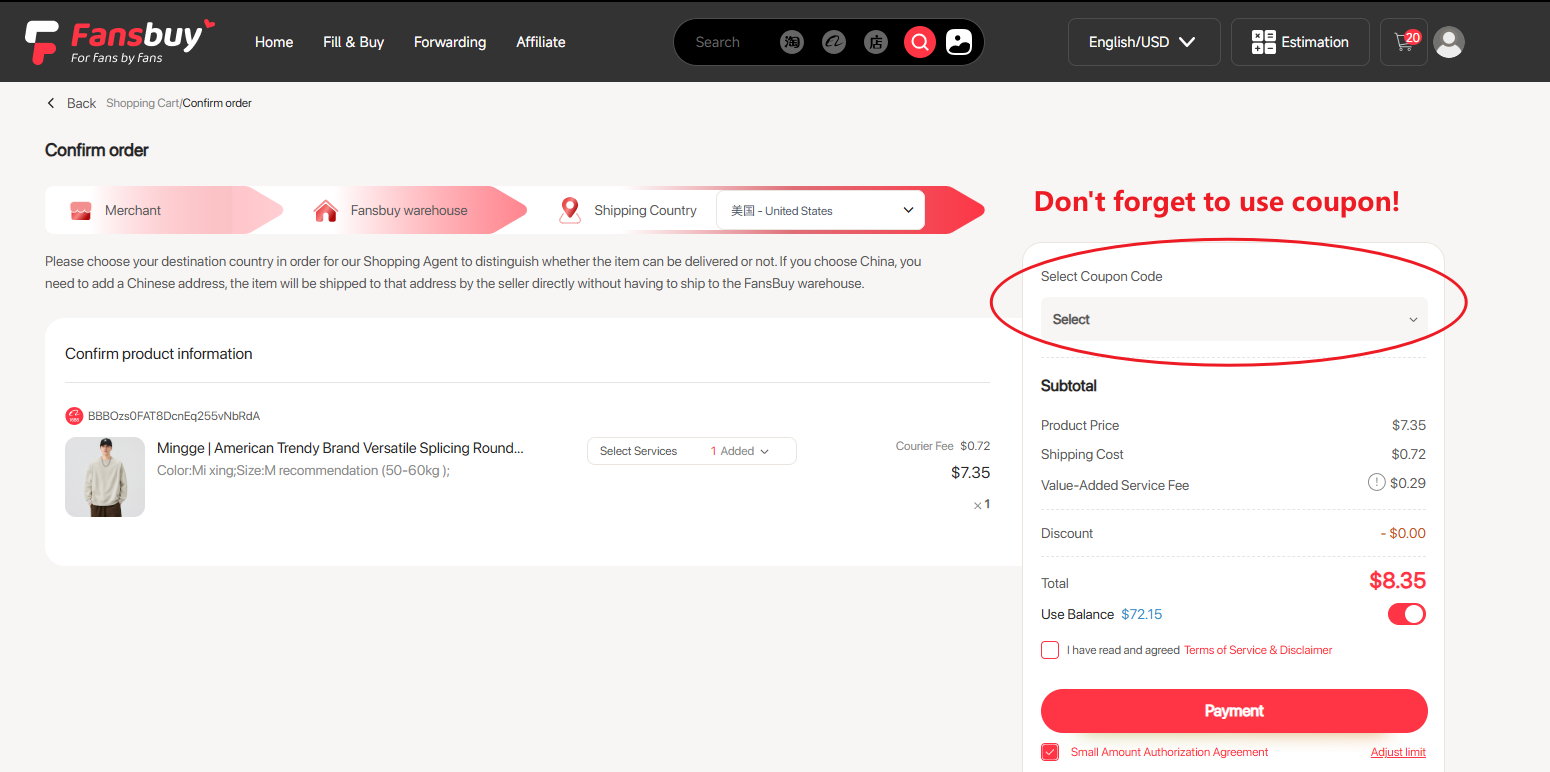
The account-wide setting lives in Personal Center under Custom Functions. Fansbuy’s Beginner Guide introduces it as Method 5 of step 6, the shipping step: “Set a pre-authorized payment amount. If additional fees are below this amount and your balance is sufficient, the system will automatically deduct payment without requiring manual action.”
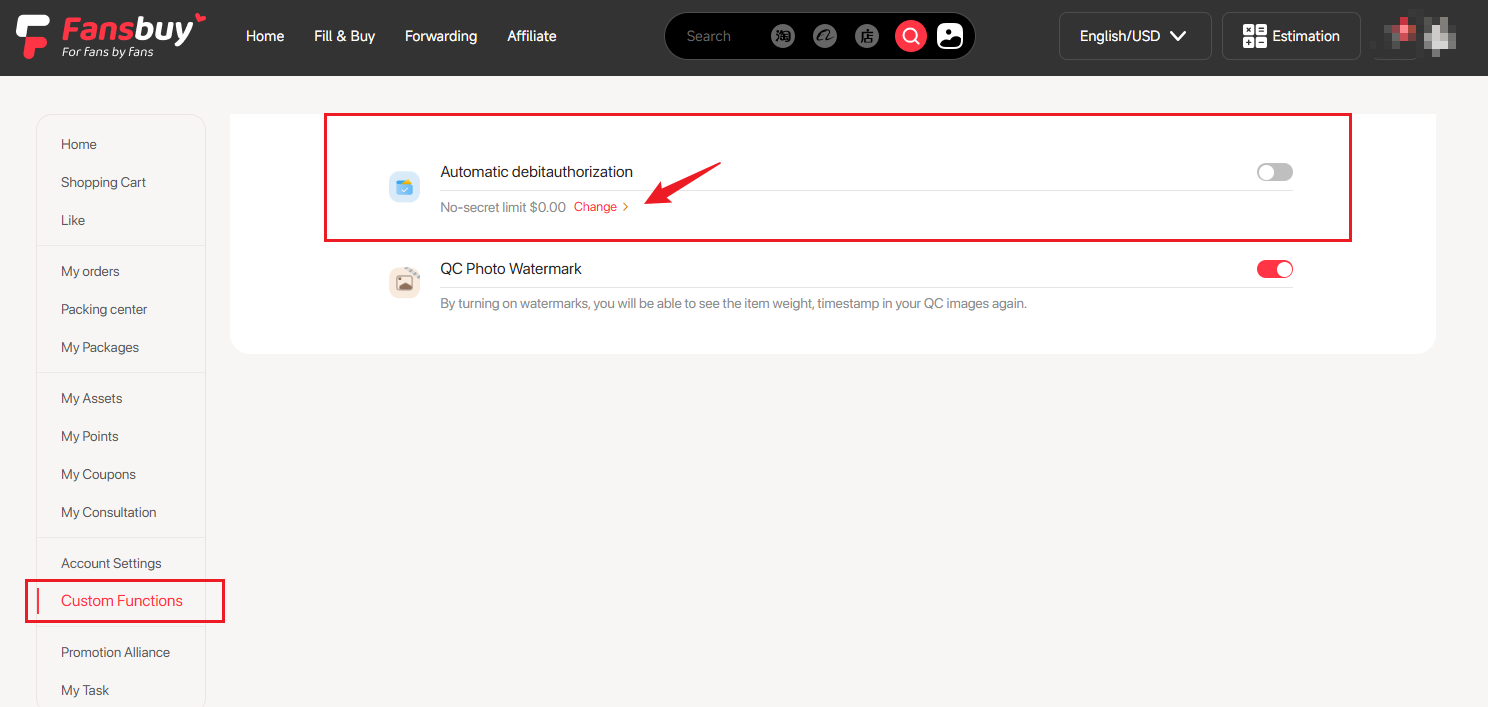
The screenshot the guide shows next to that line is the Custom Functions screen itself. It holds two switches: the payment authorisation and a QC Photo Watermark switch for inspection photos. In that picture the switch reads Automatic debitauthorization, with no space, the No-secret limit line shows $0.00 beside a Change link, and the switch is grey. It is one tutorial account, not evidence of what a new account gets. Two words in Method 5 carry the whole mechanism: below this amount, and sufficient balance. Both must hold for anything to happen without you.
The checkout page links straight to this screen through Adjust limit, so you can change the amount while paying.
The labels on the settings screen
We cannot open the settings screen without an account, but its words are in Fansbuy’s public site code, which we fetched and read on 17 October 2026. The switch is labelled Automatic debit authorization, though both the code and the guide’s own screenshot spell it “debitauthorization”, one word. The amount line is called No-secret limit, a literal rendering of a phrase that means a limit you approve without entering a password each time.
Opening the box shows a heading, Deduction amount, a section called Parcel fee adjustment authorization and this sentence: “The package’s weight (especially volume weight) will differ after packaging, which may lead to additional shipping fees. Please select an authorized amount below.” A button labelled Activate saves it.
File names in that code change with every release; the ones we read on 17 October 2026 differed from those recorded earlier the same day, while the labels did not.
The tick at product checkout
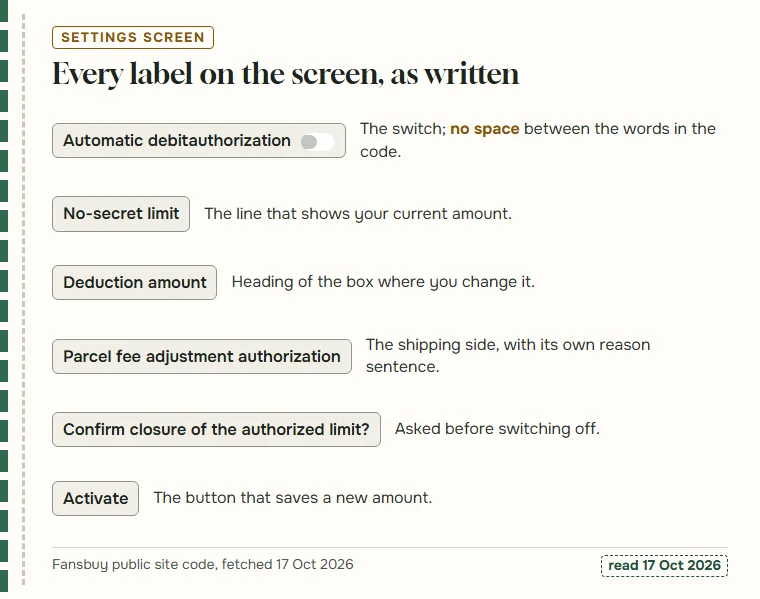
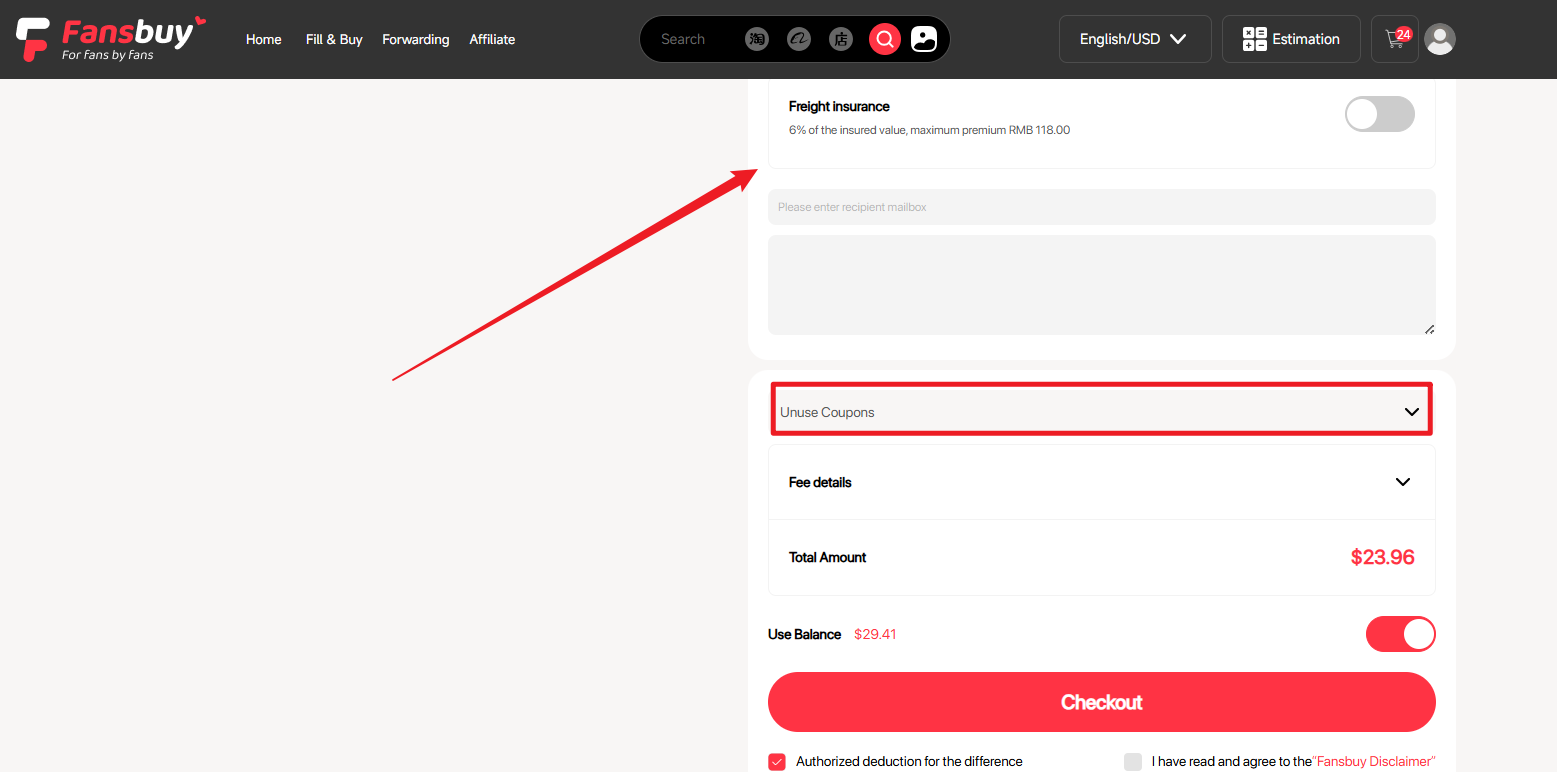
The first per-purchase tick appears when you pay for products. Under the price summary, among the labels Product Price, Shipping Cost and Use Balance, the checkout carries a line reading “I have read and agreed” followed by the Small Amount Authorization Agreement, and a link labelled Adjust limit that takes you to Custom Functions.
This tick covers the two order-side differences: seller price adjustments and local shipping fee changes. Our reading of the site code shows the checkout sending its state as a flag called is_authorized_amount, set to one or zero, along with the rest of the order.
Whether the box arrives ticked or empty on a new account is one of the things we could not see. Look at it before you press pay; it is the only place where the permission is confirmed for that order.
The tick at parcel submission
The second tick appears when you send items from the warehouse. The parcel submission page shows Fee details, the insurance choice and a Checkout button, and next to them a tick labelled “Authorized deduction for the difference”.
It covers the third difference in the agreement, international shipping cost, and nothing else on that page. The insurance premium and any warehouse service you pick are part of what you pay there and then; they do not depend on this tick.
Like the checkout box, the parcel page sends an is_authorized_amount flag with the submission. Each parcel has its own tick, so one parcel can use the permission and the next can be paid by hand, whatever the account amount says.
One account amount, read by both ticks
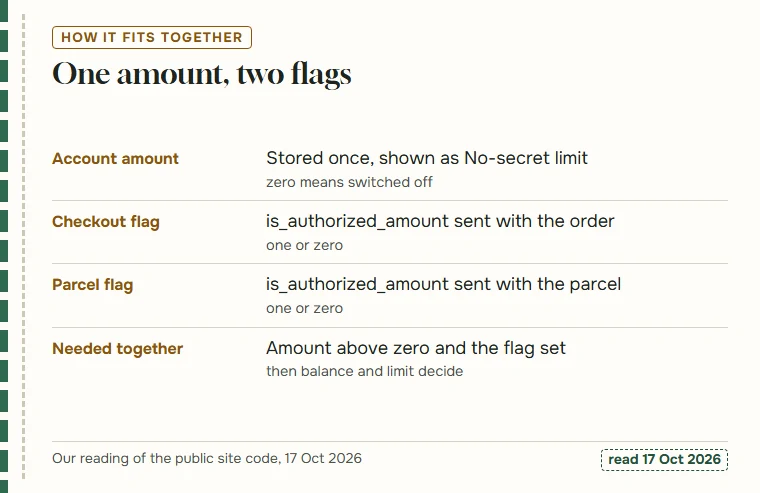
Put together, the pieces work like this, going by the public code. The account holds one authorised amount. The settings switch shows on when that amount is above zero and off when it is zero; switching off writes zero.
Each checkout and each parcel submission then sends its own yes-or-no flag. For a difference to come out of your balance automatically, both have to agree: an amount above zero on the account, and the flag set on that order or parcel. After that, two more things decide it, both from Method 5: the difference must be below the amount, and your balance must be sufficient.
What the server does with these values we can only infer from Fansbuy’s own descriptions; the code shows what is sent, not how it is applied.
Three points we could not confirm without an account
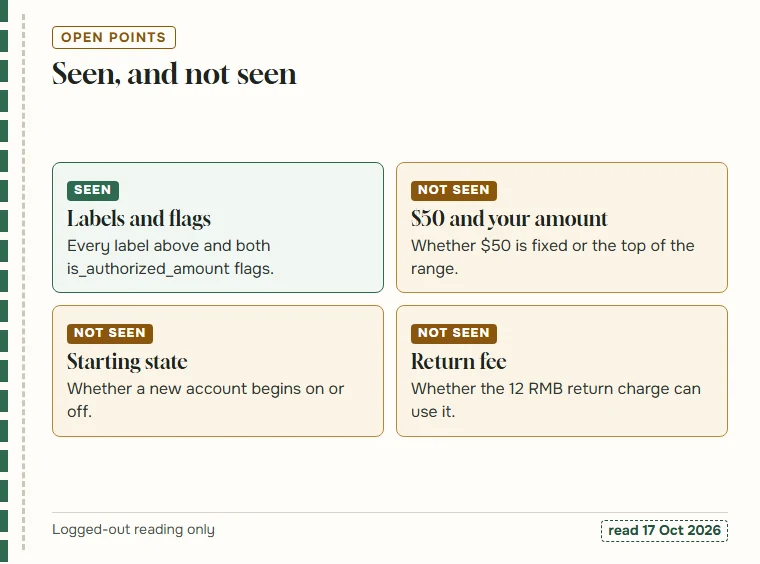
Everything above comes from public pages and public code. Three questions need a logged-in account, and we did not use one for this site.
The first is how $50 relates to the settings amount: whether the agreement’s figure is fixed, or whether it is the highest amount the settings screen will accept. The second is the starting state: whether a new account comes with an amount already set or at zero. The agreement speaks of “enabling this feature” and also of choosing to disable it, so its wording does not settle it. The third is whether the 12 RMB charge for a return you request yourself can be collected through the permission; the return policy does not mention it.
If you have an account, the first two take a minute: open Custom Functions and look at the switch and the No-secret limit line. The third is a question for Fansbuy support.
Mistakes people make around the ticks
Most confusion about this feature comes from treating it as one switch. Four mistakes come up again and again.
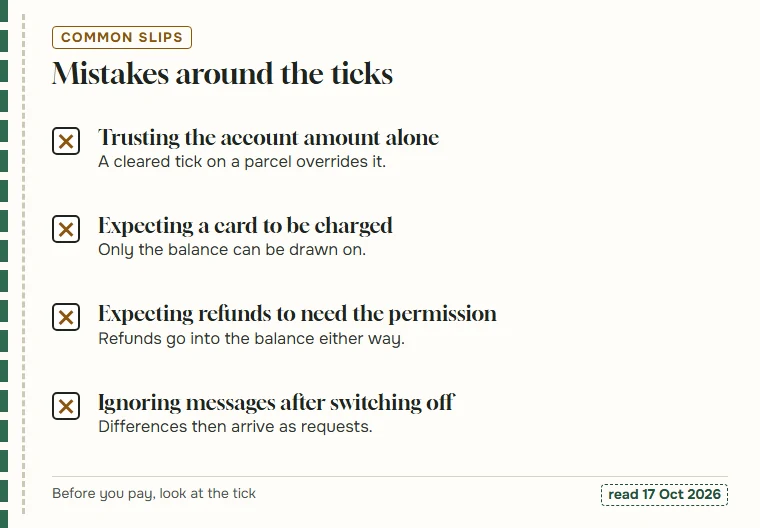
The first is trusting the account amount alone. A parcel submitted with its tick cleared will not use the permission, whatever the No-secret limit says. The second is assuming the permission can reach a card when the balance is empty; the agreement rules that out. The third runs the other way: expecting refunds, such as an out-of-stock order or an over-paid deposit, to depend on the permission. They go to your balance regardless.
The fourth is switching off and then not reading messages. With the permission off, every difference arrives as a request on the site and by email, and the agreement links ignoring them with delays. Before you pay, look at the tick; that one glance answers most of these.