What the Small Amount Authorization Agreement lets Fansbuy deduct
Help article 784 is short: three differences, one dollar condition, one source of money and a way to switch it off. This page reads each part, says what it means at the moment money moves, and marks where the text stops.
Where the agreement sits in the help centre
Fansbuy keeps the Small Amount Authorization Agreement in its help centre under Usage Statement, the same shelf as its Terms of Service, privacy policy and anti-counterfeiting policy. The help system gives it a publish date of 19 August 2026. The same wording already stood on Fansbuy’s older help pages in June 2026, so the feature is older than the current help centre layout.
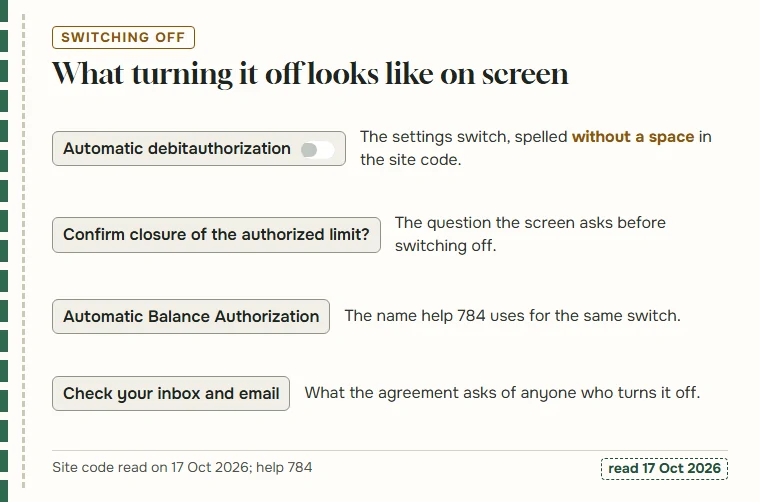
One thing makes it harder to search for than it should be: the feature has five names. The article title says Small Amount Authorization Agreement. The first sentence calls it Balance Authorization. The off switch it mentions is Automatic Balance Authorization. The settings screen, in our reading of the site code, labels it Automatic debit authorization, and the parcel side of the same screen calls it Parcel fee adjustment authorization. They all describe one permission: Fansbuy may take a small difference from your balance without asking first.
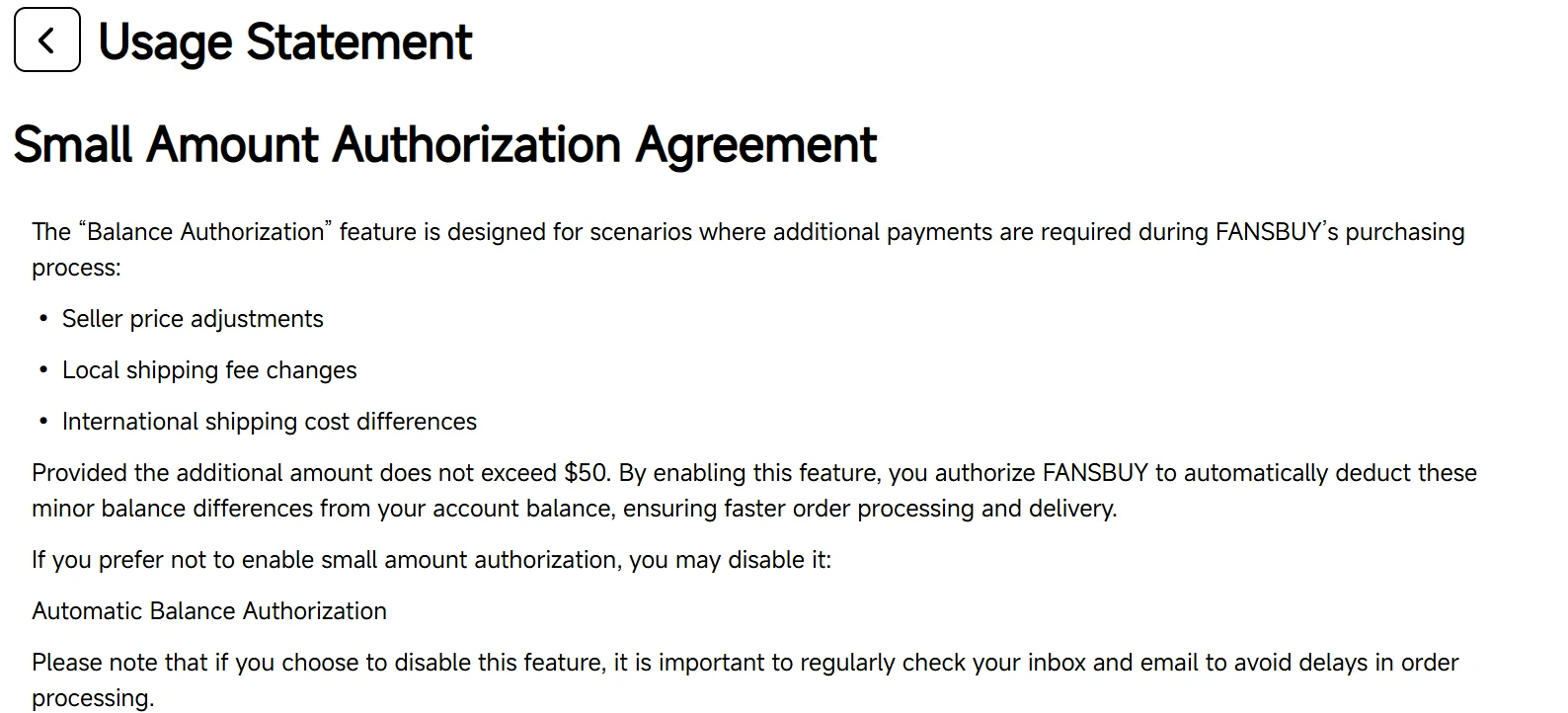
By enabling this feature, you authorize FANSBUY to automatically deduct these minor balance differences from your account balance.
Seller price adjustments
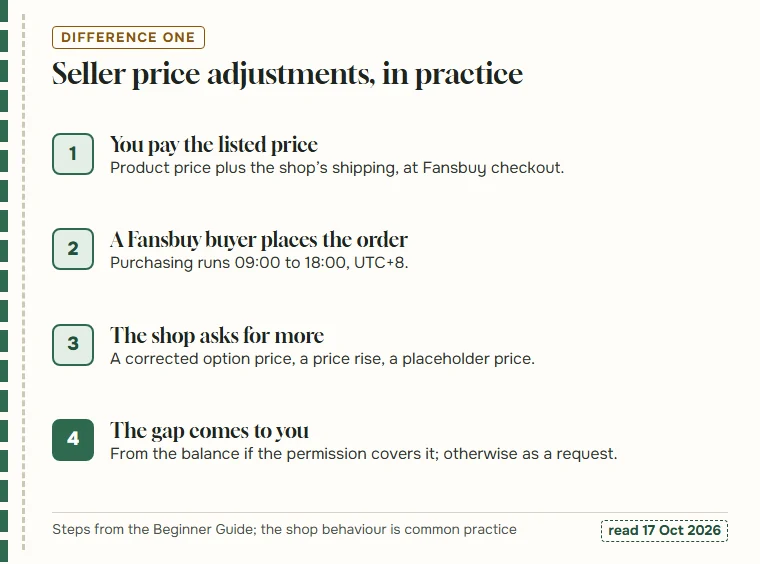
The first difference the agreement names is the seller’s price. You pay Fansbuy the price shown on the listing at checkout; a Fansbuy buyer then places the order with the shop. If the shop asks for more at that point, someone has to pay the gap.
In practice the usual reasons are dull ones. The option you picked costs more than the price on the listing card. The shop has raised its price since the page was cached. The card showed a placeholder figure that the shop never meant to sell at. None of these are Fansbuy decisions; they reach Fansbuy as a request from the shop.
With the permission on and the right tick set, a gap under your limit comes out of your balance and the purchase carries on. Without it, the gap becomes a request to you. The seller habits section lists listing styles that make this more likely.
Local shipping fee changes
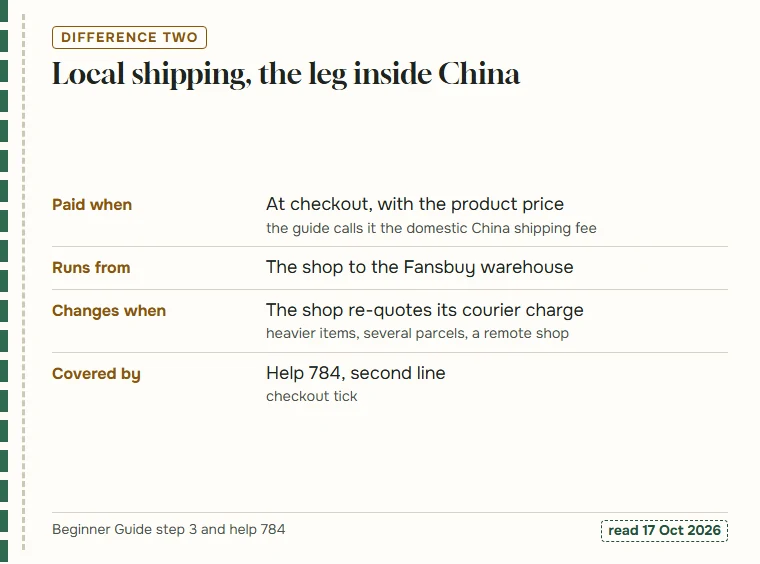
The second difference is the shop’s own shipping charge. Fansbuy’s guide says that at checkout you pay the product price plus the domestic China shipping fee: what the shop charges to send the item to Fansbuy’s warehouse.
That figure moves less often than the price, but it does move. In practice shops re-quote shipping for heavy or awkward items, when an order splits into several parcels, or when the listing showed a default rate that does not match the warehouse address. Fansbuy’s order processing answer adds that domestic delivery usually takes three to five days after the shop sends the item, which is the window in which such a change appears.
Like the price, this one is collected on the checkout side, so the tick that matters is the Small Amount Authorization Agreement box you saw when paying. See help 804 for the timing Fansbuy gives.
International shipping cost differences
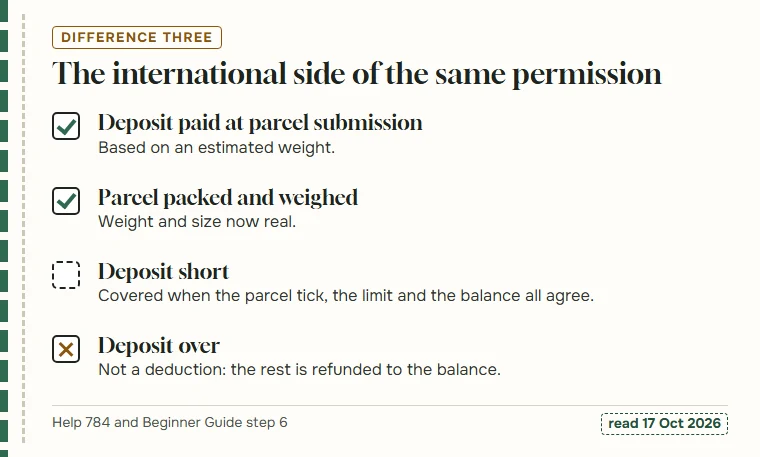
The third difference is the one most people meet. When you submit a parcel, Fansbuy charges a deposit for international shipping based on estimated weight. After packing, the real cost is known, and it can come out higher.
This difference has its own tick: Authorized deduction for the difference, on the parcel submission page, separate from the checkout box. The settings screen gives it its own heading too, Parcel fee adjustment authorization, with a sentence explaining that weight, especially volume weight, changes after packaging and may lead to extra shipping fees.
When the deposit turns out higher than needed, nothing is deducted at all: the guide says the rest is refunded to your balance. The parcel page follows both outcomes.
The dollar condition and the word provided
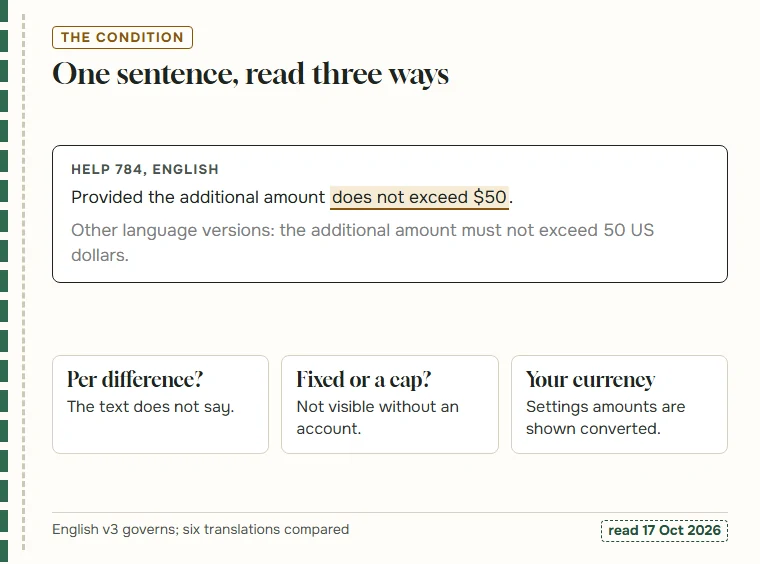
The agreement’s condition is one sentence long: “Provided the additional amount does not exceed $50.” Read carefully, it leaves more open than it closes.
It does not say whether $50 applies to each difference or to everything collected on one order. It does not say how it relates to the amount you choose in settings, where the screen asks you to select an authorised amount and deducts automatically when the extra charge is under it. And because the settings code shows amounts through the site’s currency converter, the figure you see may not be in dollars at all.
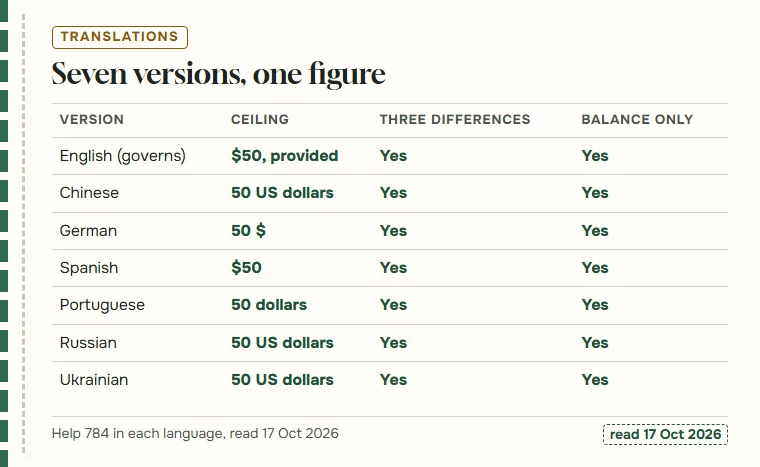
The Chinese, German, Spanish, Portuguese, Russian and Ukrainian versions all keep 50 US dollars and phrase it as a limit the extra must not exceed. Whether $50 is a fixed amount or the top of the settings range, we could not confirm without an account.
Balance only, and the notice to top up
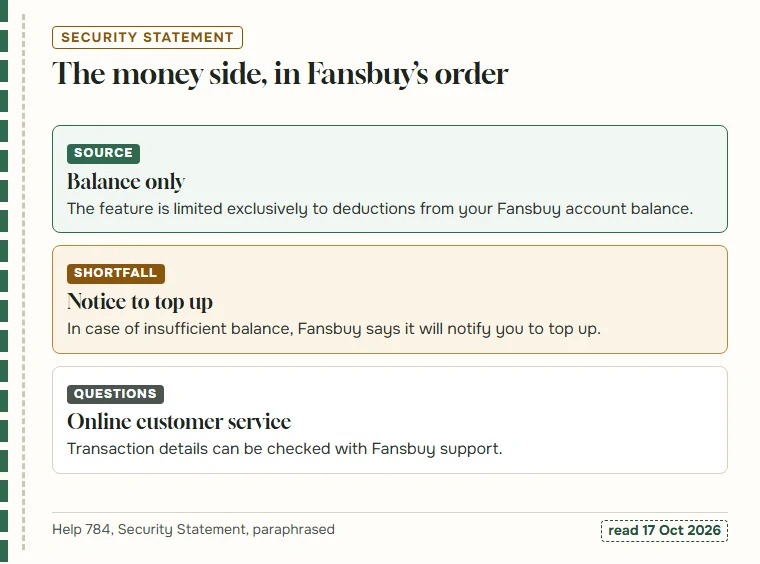
The second half of the agreement is headed Security Statement. Its useful sentence is precise: the feature is limited exclusively to deductions from your Fansbuy account balance. A card saved for top-ups, a PayPal account or any other payment method is outside its reach.
That has a plain consequence. With an empty balance the permission can do nothing, whatever the limit says. The agreement’s answer for that case is a notice: when the balance is insufficient, Fansbuy will notify you to top up. It does not say whether the deduction then runs by itself after the top-up arrives, or whether you pay the request by hand.
The statement closes by pointing to online customer service for questions about transactions. We leave out its promise about how well funds are protected; that is Fansbuy describing itself, not something a reader can check. The balance page covers what feeds the balance.
Switching it off, and the inbox duty that comes with it
The agreement offers the way out in the same breath: if you prefer not to enable small amount authorization, you may disable it. On the settings screen, by our reading of the public code, that means a confirmation box asking “Confirm closure of the authorized limit?”, after which the authorised amount is written back as zero.
The agreement attaches one request to that choice: regularly check your inbox and email, so order processing is not delayed. In practice that is where every later difference lands, as a message on the site and an email asking you to pay. Fansbuy’s order processing answer adds the buyer’s message on the order as a third place to look.
The agreement never says which way is better, and neither do we. The coverage card shows what happens in each situation with the permission on or off.
How the other language versions word it
Fansbuy publishes its help centre in seven languages, and we compared the agreement in all of them. The substance matches: the same three differences, the same 50 US dollars, the same restriction to the account balance and the same advice to watch your inbox if you switch off.
The only shift is tone. Where the English says “provided the additional amount does not exceed $50”, a condition, the translations read as a flat limit the extra amount must not exceed. That changes nothing about what the feature does, but it is a reminder that the English page is the one to quote.
We also compared the older help system’s copy, which Fansbuy still serves: word for word the same as the current English page.