Go-ahead coverage card for changes that surface after you pay
Choose one thing that happened after you paid and set three switches to match your account. The card returns five lines: whether the agreement reaches the situation, where it applies, the ceiling in writing, what Fansbuy’s pages say happens, and where we read it.
Tool
Build a card
The seller changes the price after you have paid
Your switches: an amount is set / ticked / balance enough to cover it
- Covered by the agreementYesThe Small Amount Authorization Agreement lists this as one of its three differences: “Seller price adjustments”.
- Where it appliesTwo places must agree: an amount above zero in Personal Center, Custom Functions, and the “Small Amount Authorization Agreement” tick at product checkout.
- Ceiling in writingThe agreement reads “Provided the additional amount does not exceed $50”; the settings screen adds your own authorised amount. Whether $50 is a fixed figure or the top of the settings range, we could not confirm without an account.
- What happensAutomatic deduction may apply only if the permission is active, this order or parcel is opted in, and the actual difference fits your authorised amount and the agreement’s $50 condition. This card does not know the difference or your numeric limit, so it cannot confirm a deduction. Check both amounts and your account messages.
- Where we read itSmall Amount Authorization Agreement (help 784), read 17 October 2026. More on this page.
How to use the coverage card
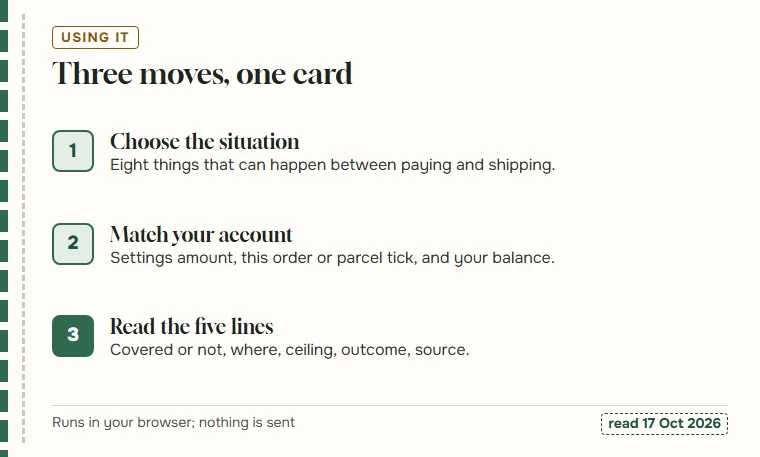
This is how to use the tool. Start with the situation: what actually happened, or what you want to understand before you pay. The list holds eight cases, three that the agreement covers and five that it does not.
Then set the three switches. The first is the account amount in Personal Center, Custom Functions. The second is the tick on this particular order or parcel. The third is whether your Fansbuy balance holds enough to cover the difference. Choose “not sure” when you do not know; the card then shows both branches.
The card redraws as soon as you change anything. Switches grey out for the five situations the agreement does not reach, because they make no difference there.
What each of the five lines draws on
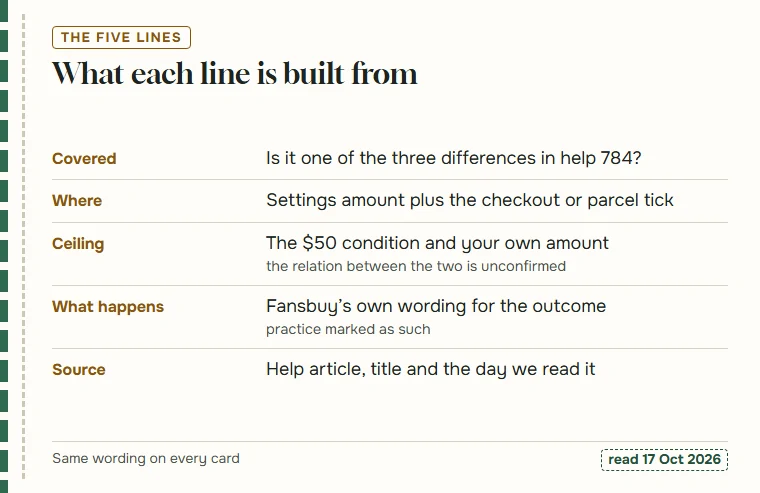
The first line compares your situation with the three differences listed in the Small Amount Authorization Agreement. The answer is yes, no, or no with a note that Fansbuy is silent.
The second line names where the permission applies: an amount above zero in settings plus the right tick, at product checkout for the two order-side differences and at parcel submission for shipping. The third line quotes the $50 condition and the settings amount side by side, without claiming to know how they relate.
The fourth line uses Fansbuy’s own words for what happens. Where we add how things usually go in practice, the sentence says so. The fifth line links the Fansbuy page and gives the date we read it.
The eight situations and the rule behind each
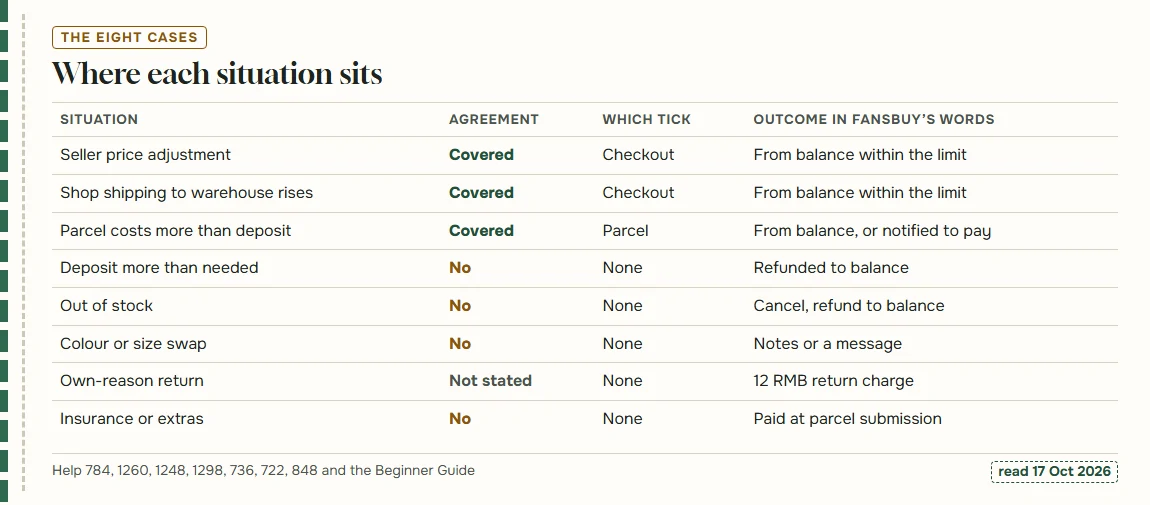
The list is fixed at eight because these are the cases Fansbuy’s pages describe clearly enough to quote. The table gives the Fansbuy source for each; the chart under it shows the same eight in one view.
| Situation | Agreement | Fansbuy source |
|---|---|---|
| Seller changes the price after payment | Covered | help 784 |
| Shop’s shipping to the warehouse goes up | Covered | help 784 |
| Packed parcel costs more than the deposit | Covered (parcel tick) | help 784, Beginner Guide |
| Deposit more than the parcel needed | Not a deduction | Beginner Guide |
| Seller out of stock | Not covered | help 1260 |
| Different colour or size wanted | Not covered | help 1248, help 1298 |
| Return for your own reasons | Not stated | help 736 |
| Insurance or a service added at parcel submission | Not covered | help 722, help 848 |
When a switch is set to not sure
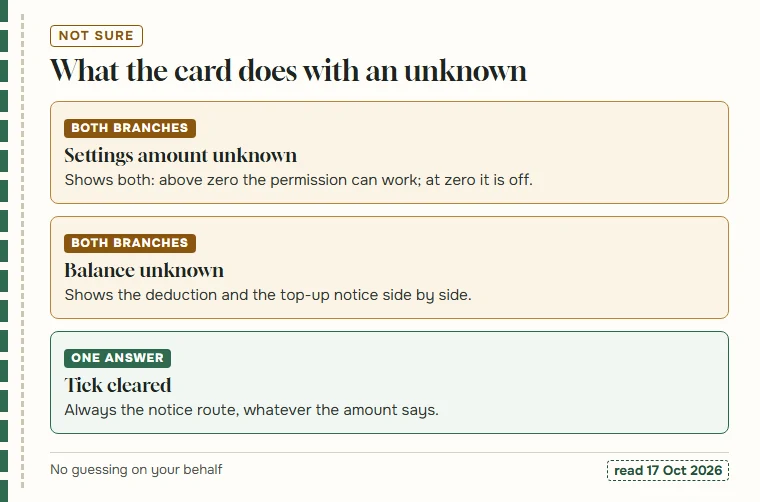
Many people do not know what their settings say, especially if someone else set up the account. Choosing “not sure” for the amount makes the card describe both cases: with an amount above zero the permission can work; at zero, which is what switching it off writes back according to the site code we read, it cannot.
The same goes for the balance. With “not sure” selected, the card prints the automatic deduction and the top-up notice side by side, because which one applies depends on a figure only your account shows.
There is no “not sure” for the tick. You either ticked the box at this checkout or parcel submission or you did not, and a cleared tick always means the difference comes to you as a request.
What the card leaves out on purpose
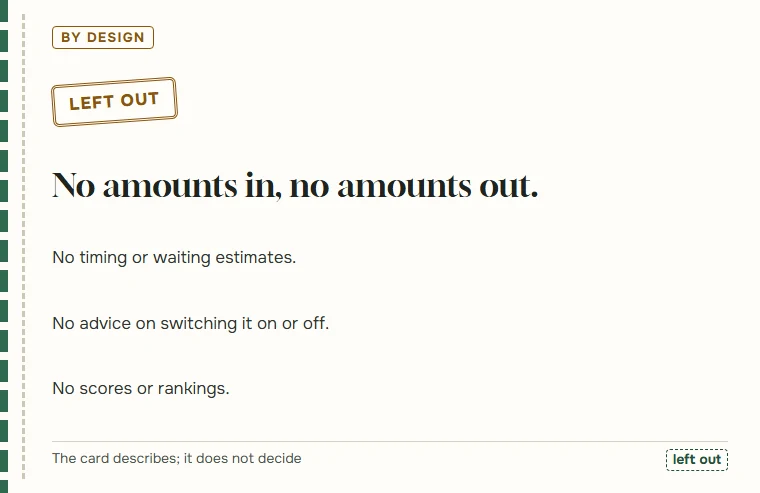
The card never asks for an amount and never prints one beyond the $50 written in the agreement. Fansbuy’s balance, currency and limit are shown to you in your account, and any figure we produced from outside it would be a guess.
It also does not estimate how long anything takes, and it does not tell you whether to keep the permission on. People weigh that differently, and the agreement itself leaves the choice to you. What the card does is make sure that, whichever way you choose, you know which changes it reaches.
If you need something the card leaves out, Fansbuy’s support address is on its Contact US page, and our questions page covers the common follow-ups.