













Go straight to the text
Fansbuy logoFansbuy Spreadsheet Go-Ahead

Fansbuy Spreadsheet Go-Ahead

Fansbuy finds, from first link to doorstep.

Browse the Fansbuy spreadsheet, compare products and follow your order from the original seller link to warehouse QC and international shipping.

Official Fansbuy partner. Orders, payments and support are handled by Fansbuy.

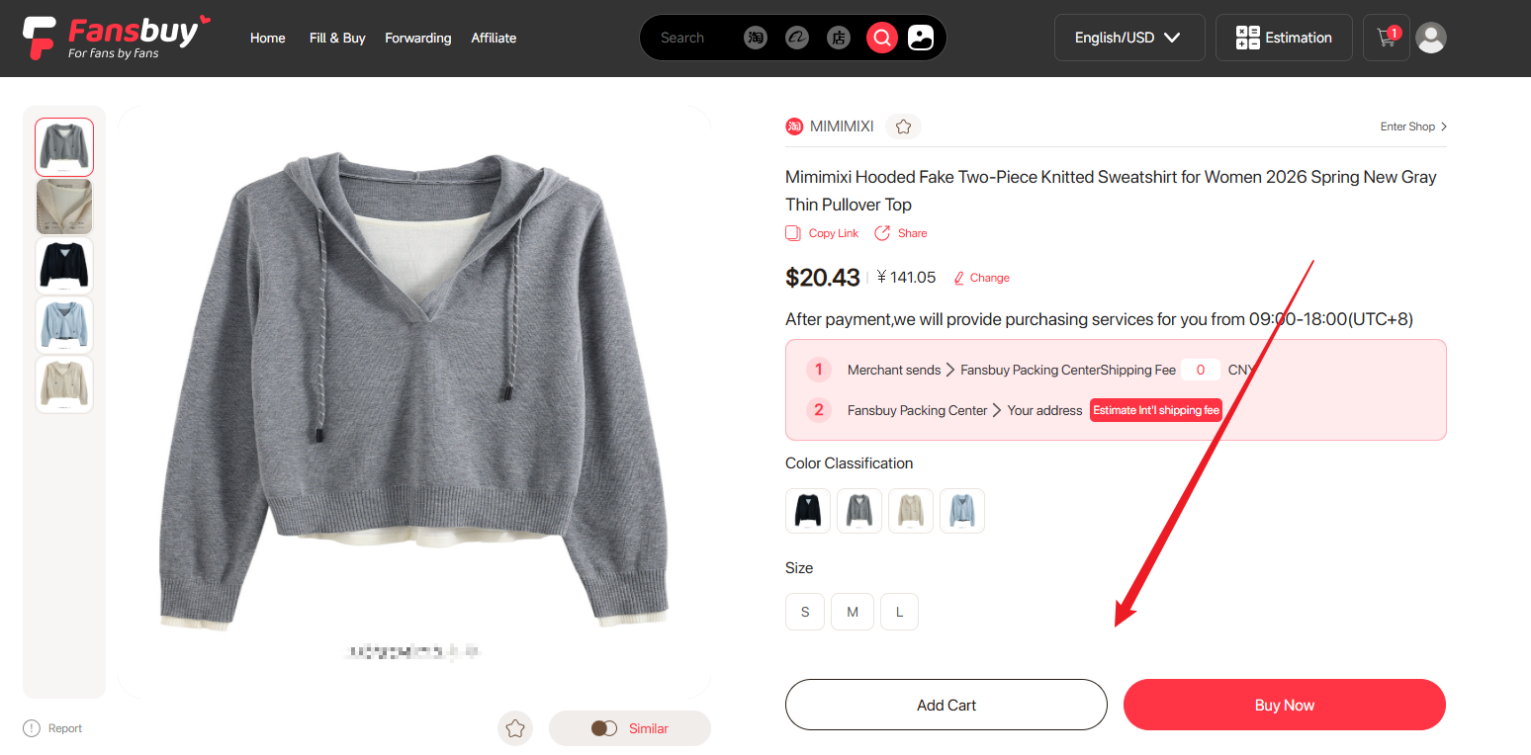
Fansbuy product page with colour, size, quantity and purchase buttons
Fansbuy product selection screen with size, colour and quantity controls. Open full-size image

Why choose us

Why choose Fansbuy Finds?

Find products, compare sellers and check what will ship before you pay for the parcel.

  • 01

    Official Fansbuy partner

    We help you find products. Fansbuy handles your order, payment and support.

    See the seven-step guide
  • 02

    30,000+ products

    Browse sneakers, apparel, bags, accessories and electronics in the linked catalogue.

    Explore the spreadsheet
  • 03

    Real QC photos

    Inspect stitching, hardware and measurements in full-size warehouse photos.

    See the QC gallery
  • 04

    Wholesale prices and trusted sellers

    Compare 1688 prices and minimum orders. Check seller reviews and return terms.

    Compare seller listings
  • 05

    Preview your outfit with AI

    Preview how pieces look together with W2C Spreadsheet’s AI try-on.

    Try AI outfit previews
  • 06

    Community feedback

    Read recent haul reports on sellers, QC and shipping.

    Find the Fansbuy community

AI outfit preview

See the outfit together before you order

Choose a model and combine pieces from the linked catalogue in W2C Spreadsheet’s virtual try-on. Start with a top, bottoms and shoes, or preview a complete look from the outfit gallery.

Published W2C Spreadsheet outfit preview showing a red dress and black heels
Red dress and heels from the W2C Spreadsheet outfit gallery.

Warehouse quality control

What real QC photos can show you

Open a full-size photo to inspect visible details. Check your own photos in Packing Centre before submitting the parcel.

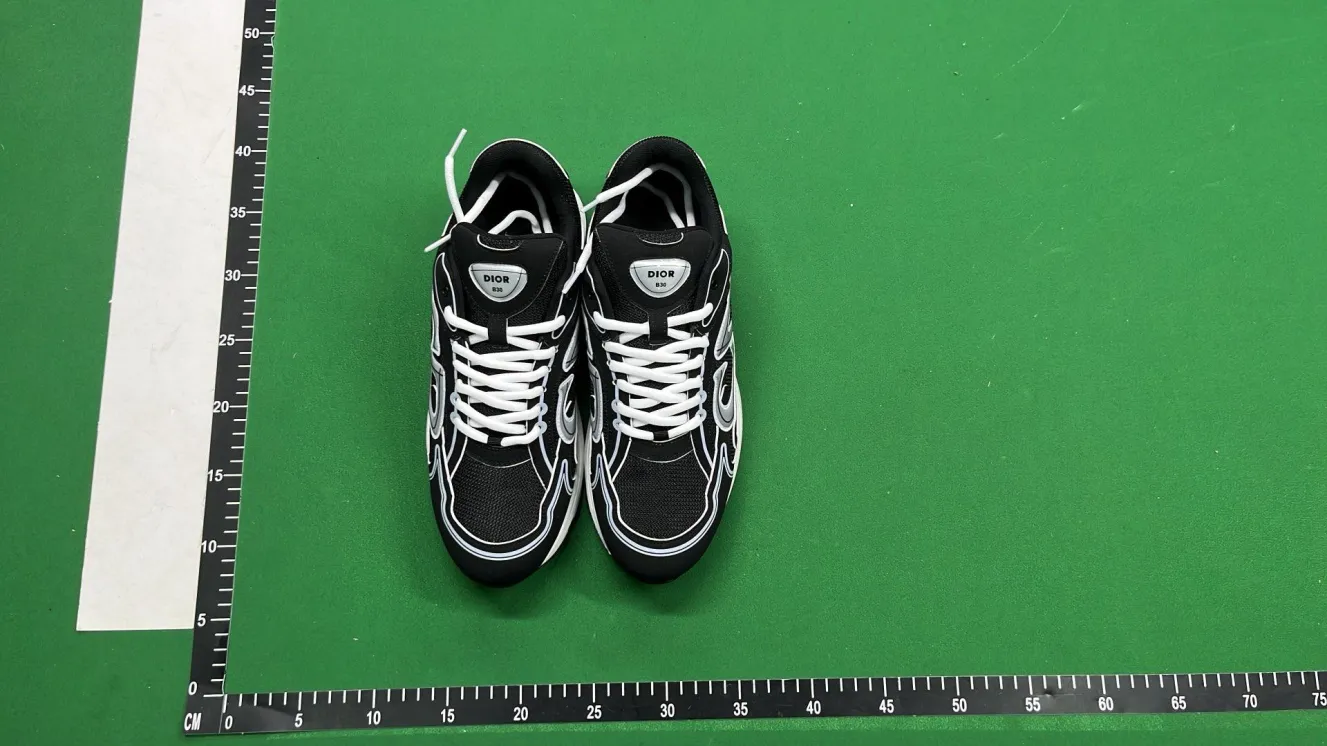
Sneakers on a QC measurement mat, photographed from above
Pair and shapeCompare the shape of both shoes and the placement of the laces.
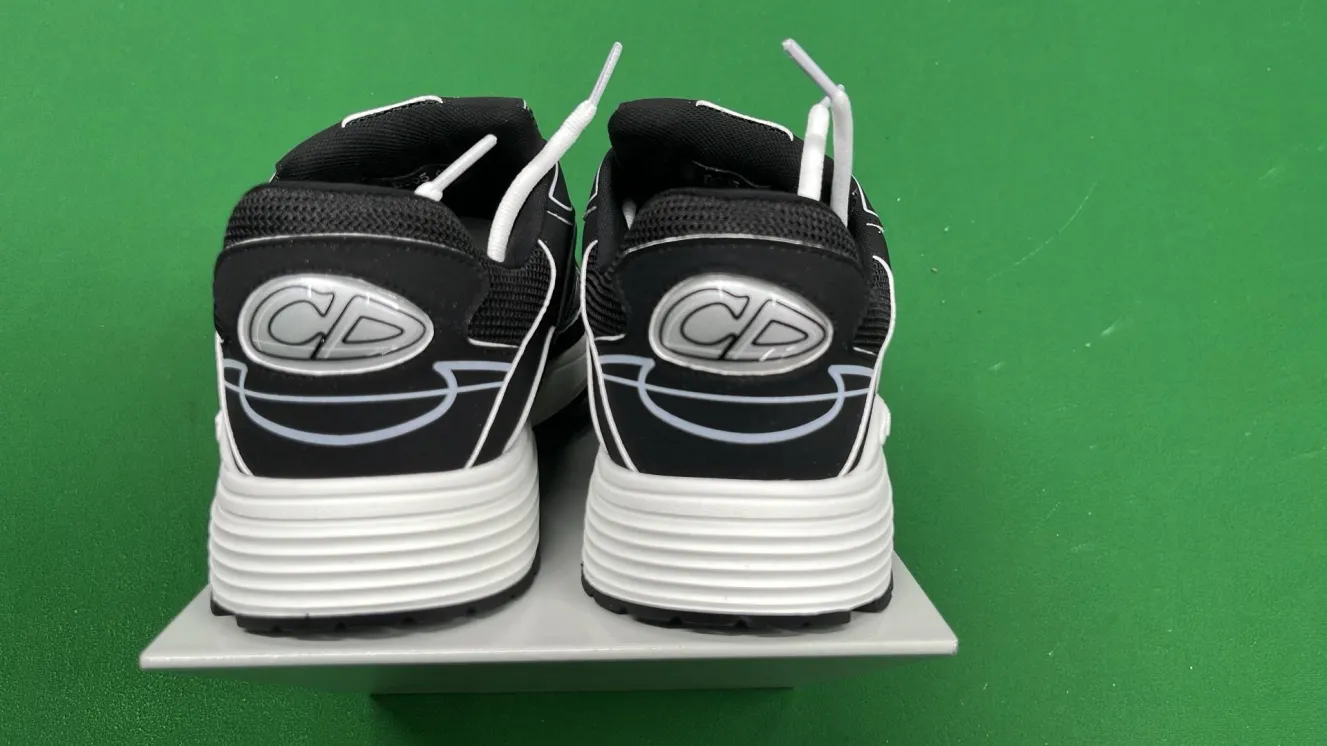
Sneaker heels photographed side by side on a QC mat
Heel stitchingCompare the height, alignment and stitching at the back of each shoe.
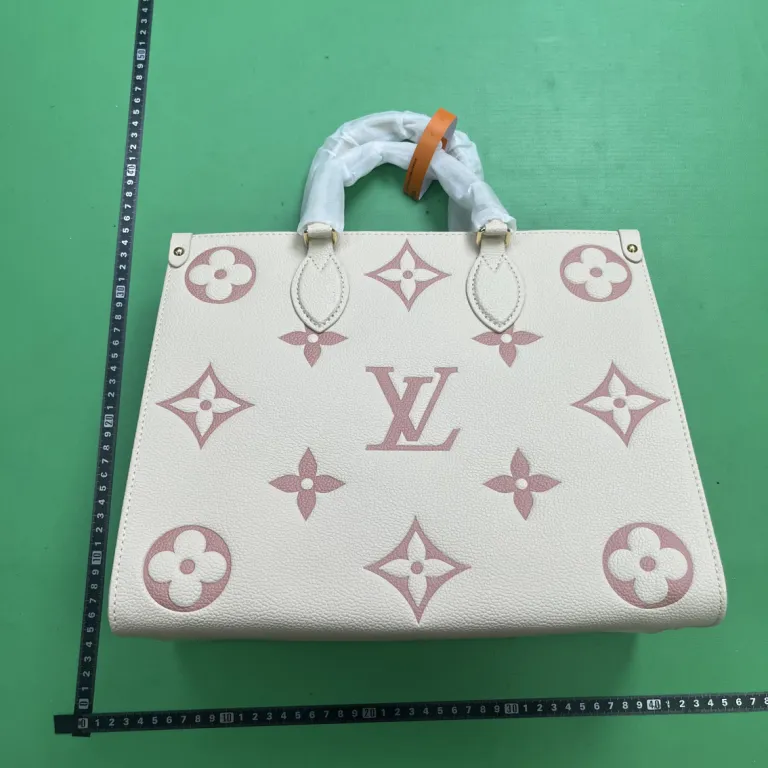
White structured handbag photographed front-on beside a QC ruler
Bag dimensionsUse the ruler as a reference for width and check the handles and silhouette.
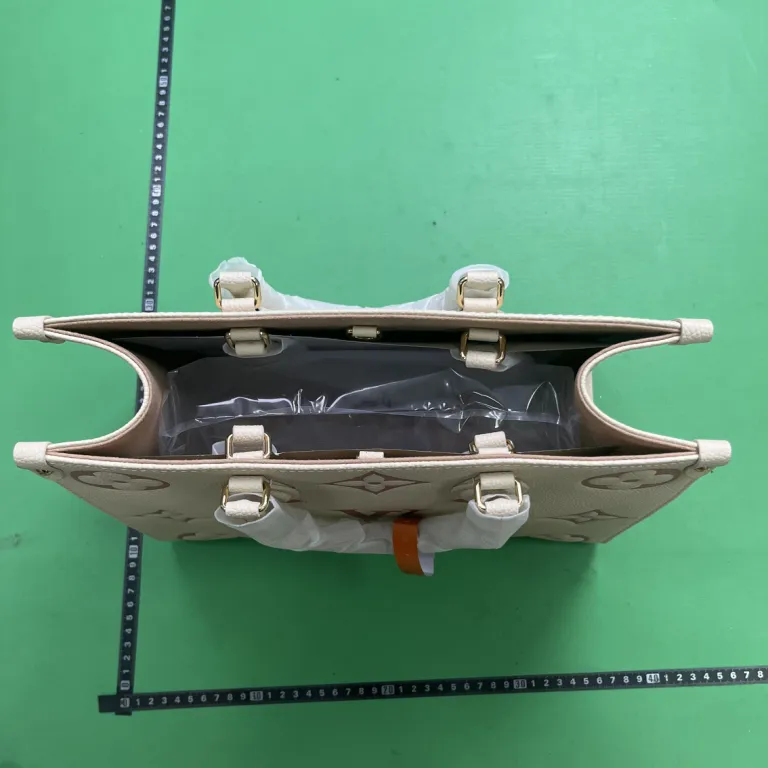
Open white handbag photographed from above, showing its compartments
Bag interiorInspect the lining, dividers and visible hardware before you ship.

How to review Fansbuy warehouse photos

Two different jobs: finding the product and buying it

What is a Fansbuy spreadsheet?

A spreadsheet is an organised set of product links and category ideas. It helps you compare possible purchases, but it is not stock confirmation, a quality certificate or a checkout. Open the seller listing and keep the exact variant and measurements with your order notes.
How to use the finds list

What does Fansbuy do?

Fansbuy acts as a buying and forwarding agent: it purchases the requested item, receives it in China, provides warehouse checks and arranges international shipping after you submit a parcel. The seller supplies the goods; the agent and carrier handle different parts of the journey.

Agent services, costs and limits

From a product link to a parcel you have checked

01

Choose and pay for the item

Save the link, specify the variant and read the first payment total. Keep money aside for international delivery.

02

Check it at the warehouse

Compare the item photos with your order. Request missing measurements or a return before the applicable deadline.

03

Pack, ship and follow up

Compare eligible lines using the packed weight and dimensions, decide on optional services, then retain the tracking and delivery evidence.

See the official seven-step sequence with screenshots

Fansbuy shipping update

New parcel insurance rates

From November 6, 2026, optional parcel insurance is 6% for Brazil, Chile and Peru, and 4% for all other destinations. Fansbuy may adjust rates as customs clearance conditions change.

See the insurance update

Why use this guide alongside Fansbuy?

The product payment is only part of the budget. Our guides separate the purchase, warehouse decisions, shipping deposit and possible later adjustments so you know what to check before approving each stage.

The balance-permission checker is useful when a difference appears after payment. It distinguishes a listed adjustment, a refund and a case the published agreement does not explain. It does not access your account or authorise any payment.

Check a balance adjustment → · Understand the two permission ticks

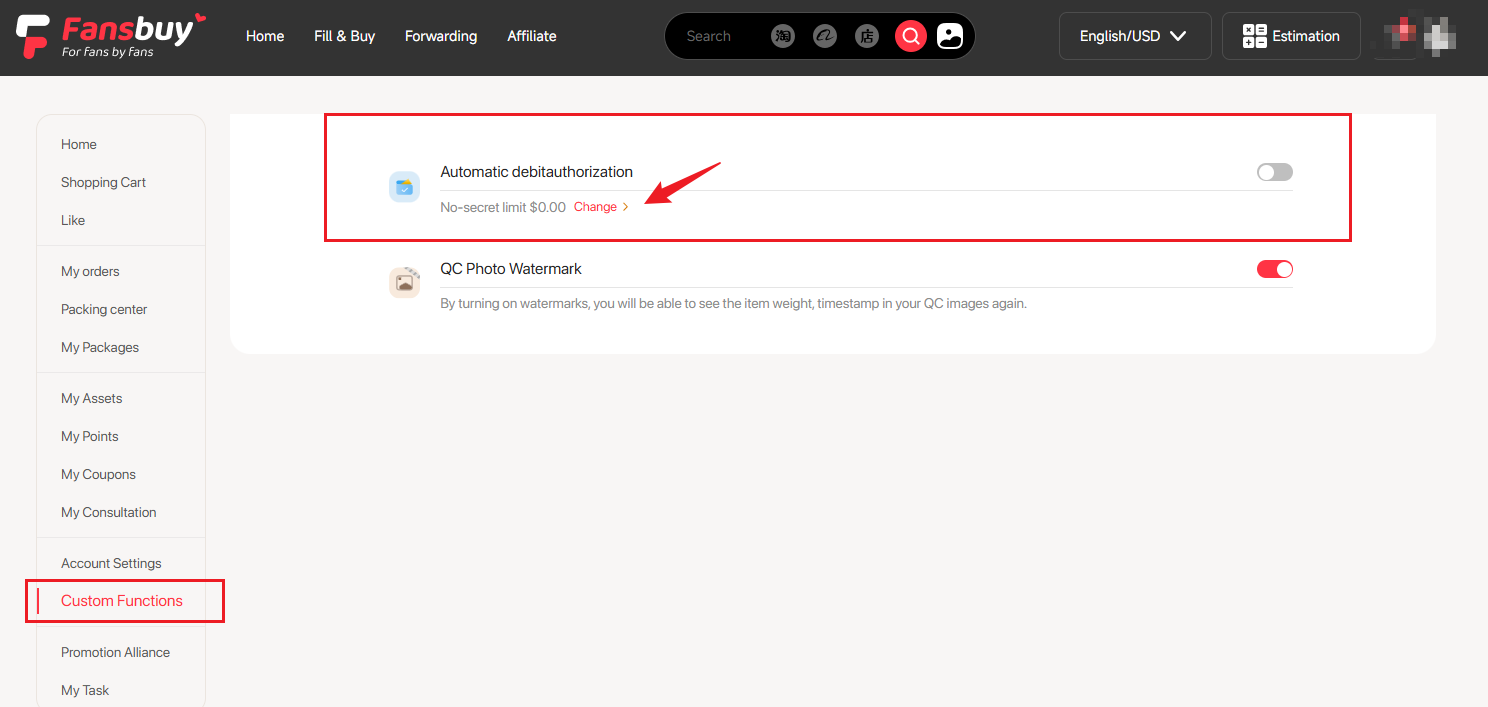
Fansbuy Custom Functions page showing the automatic balance authorisation setting
The optional account setting matters together with the tick on a particular order or parcel. Check your own current settings. Open full-size image

Help for the stage you are at