
Home / How to buy with Fansbuy: the seven-step guide
How to buy with Fansbuy: the seven-step guide
Follow a product link through payment, warehouse checks and delivery, with the official Fansbuy tutorial images in their original sequence.
These seven stages and screenshots follow Fansbuy’s official beginner guide in its published order. The images illustrate controls; prices, coupons, options and account defaults may differ. No account transaction was performed for this guide.
1. Select an item
Paste the original product link into Fansbuy, or search for a product name. Check the seller and the exact listing that opens; a similar-looking result can have different materials or measurements. You can collect several items in the cart before payment.
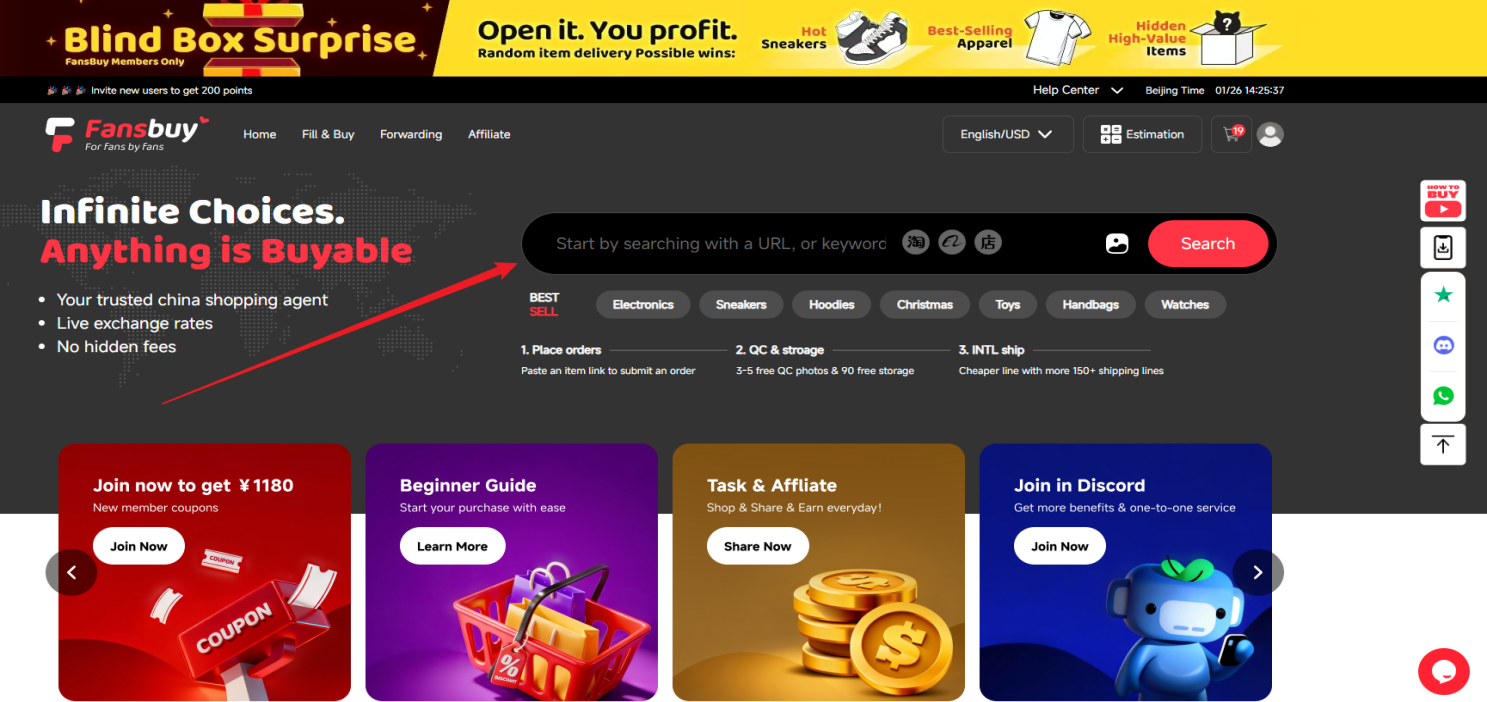
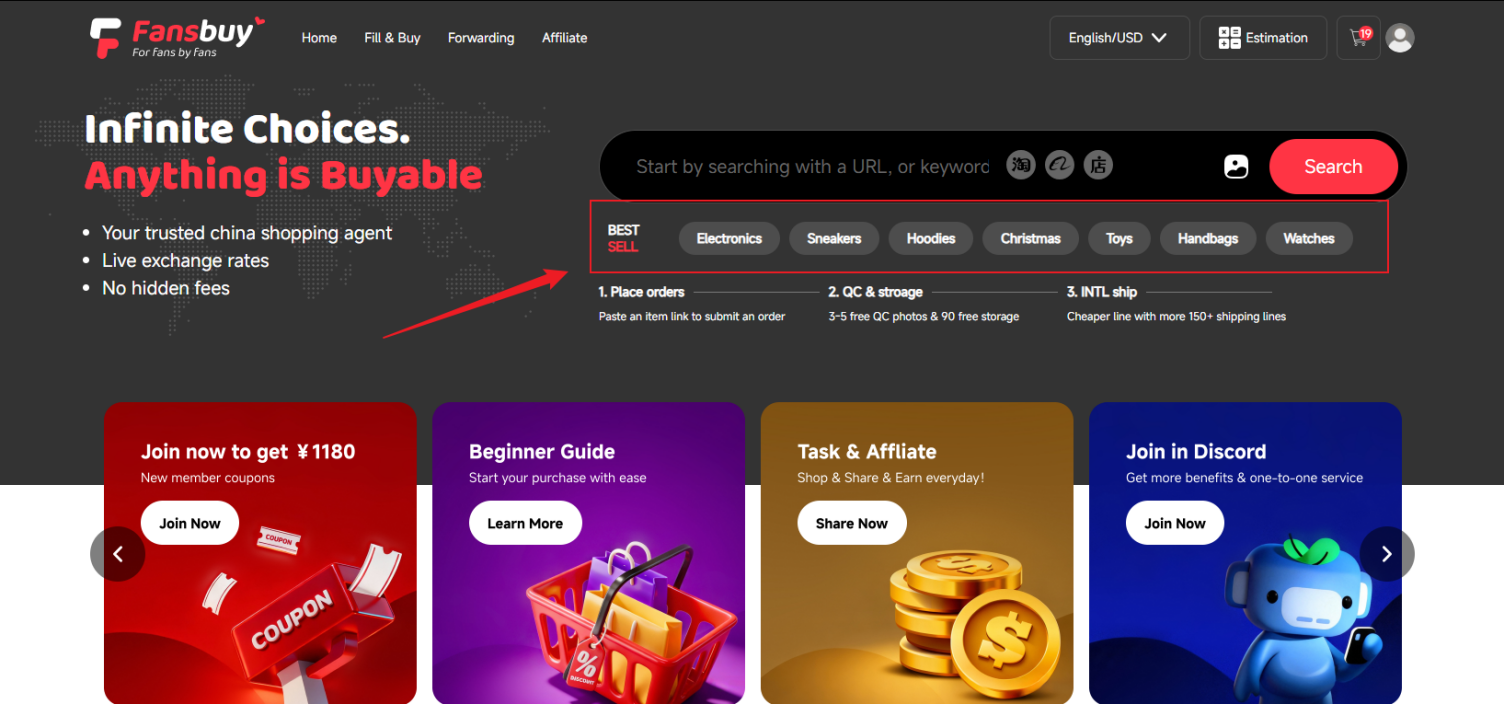
2. Submit the purchase request
Select colour, size and quantity on the product page. Copy the seller’s size chart into your notes when fit matters. If the link cannot be parsed, Fill & Buy lets you enter the link and details manually; support still needs to confirm that the request can be fulfilled.
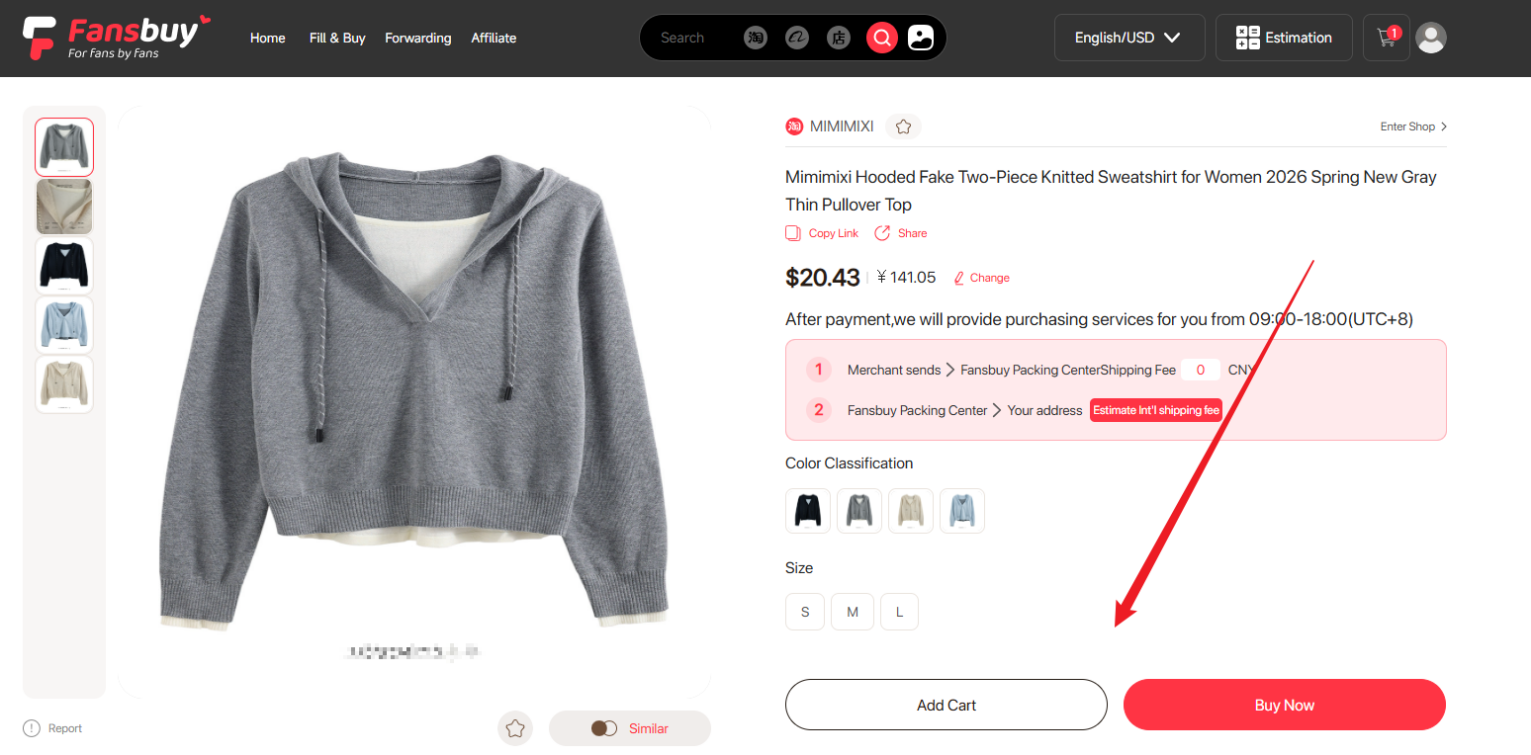
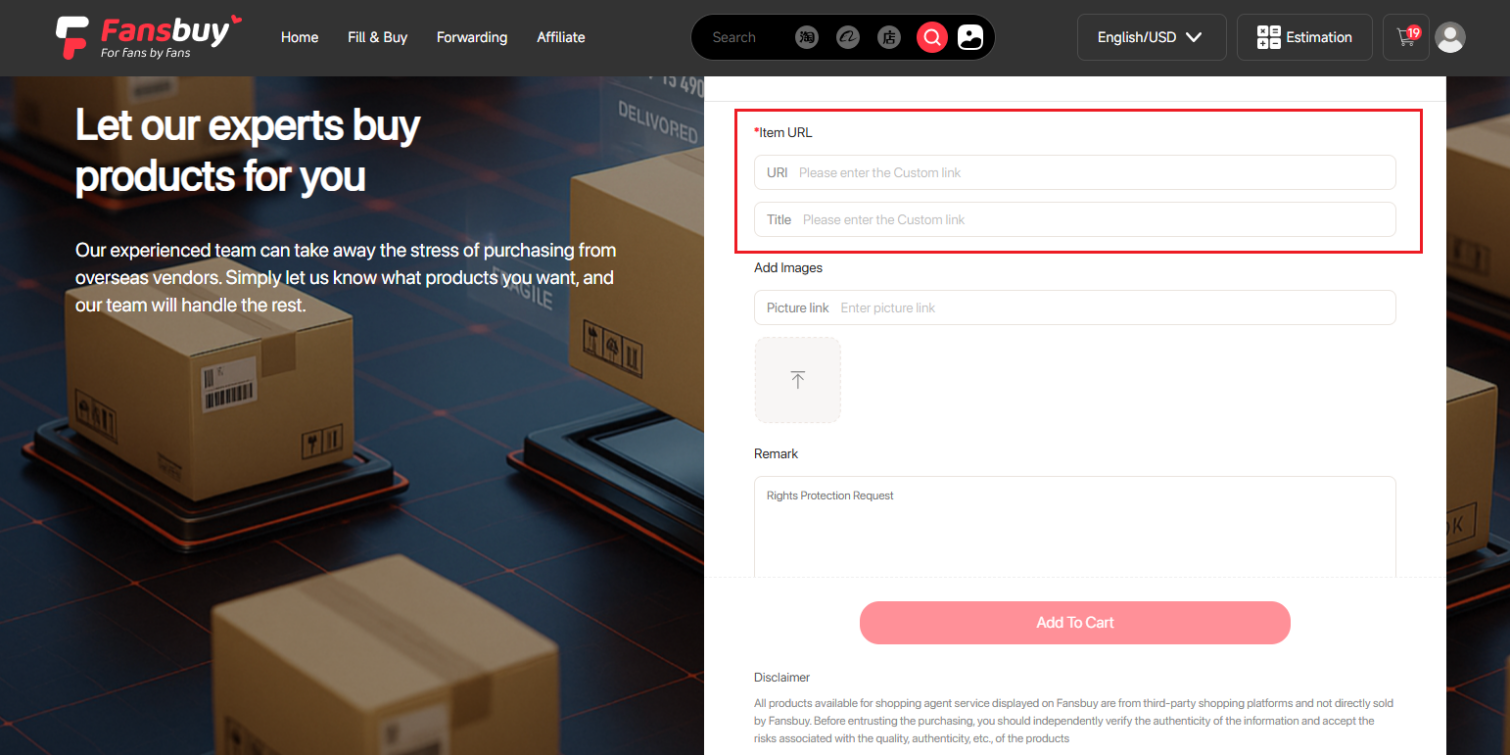
3. Confirm the order and pay for the products
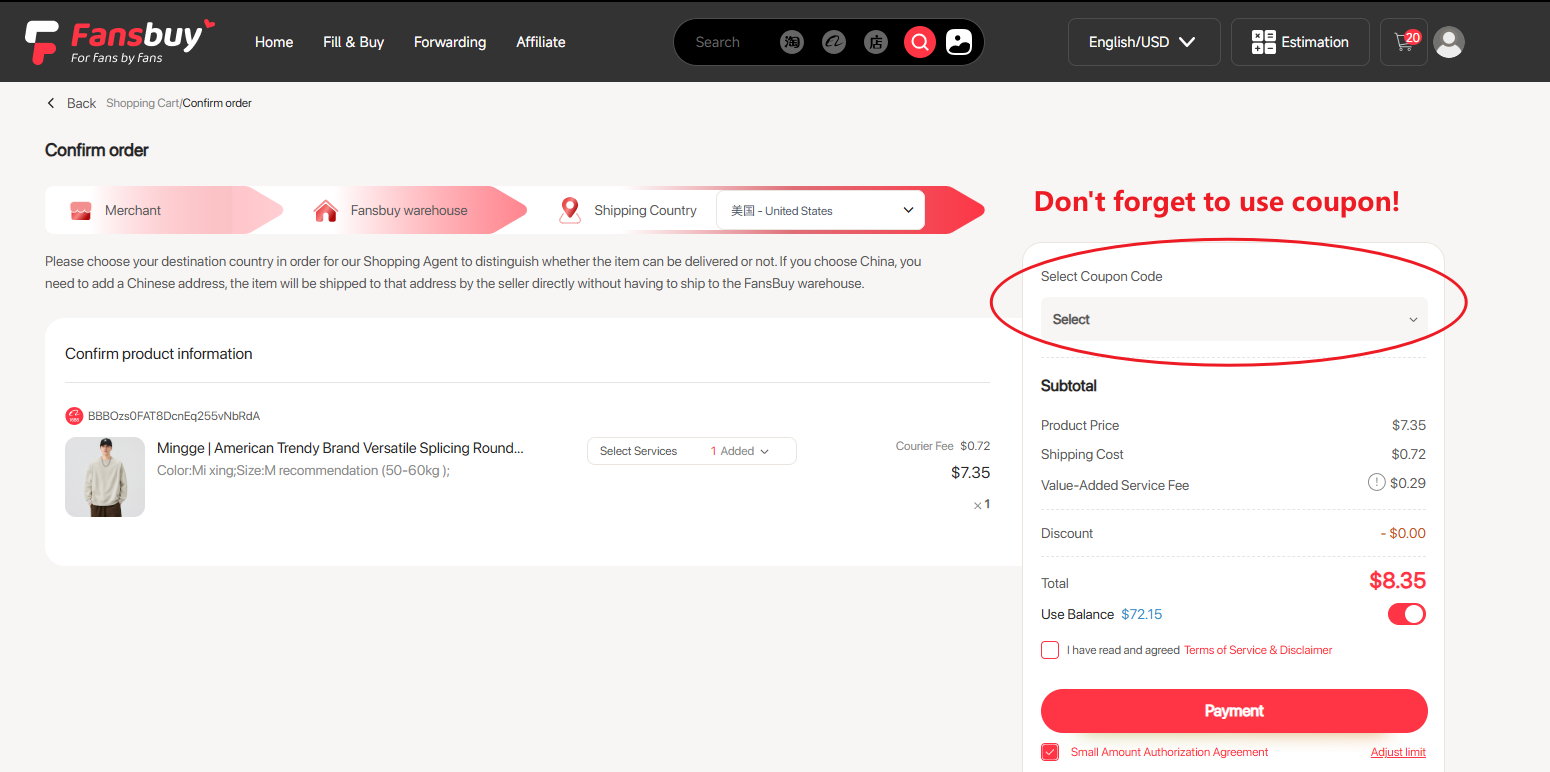
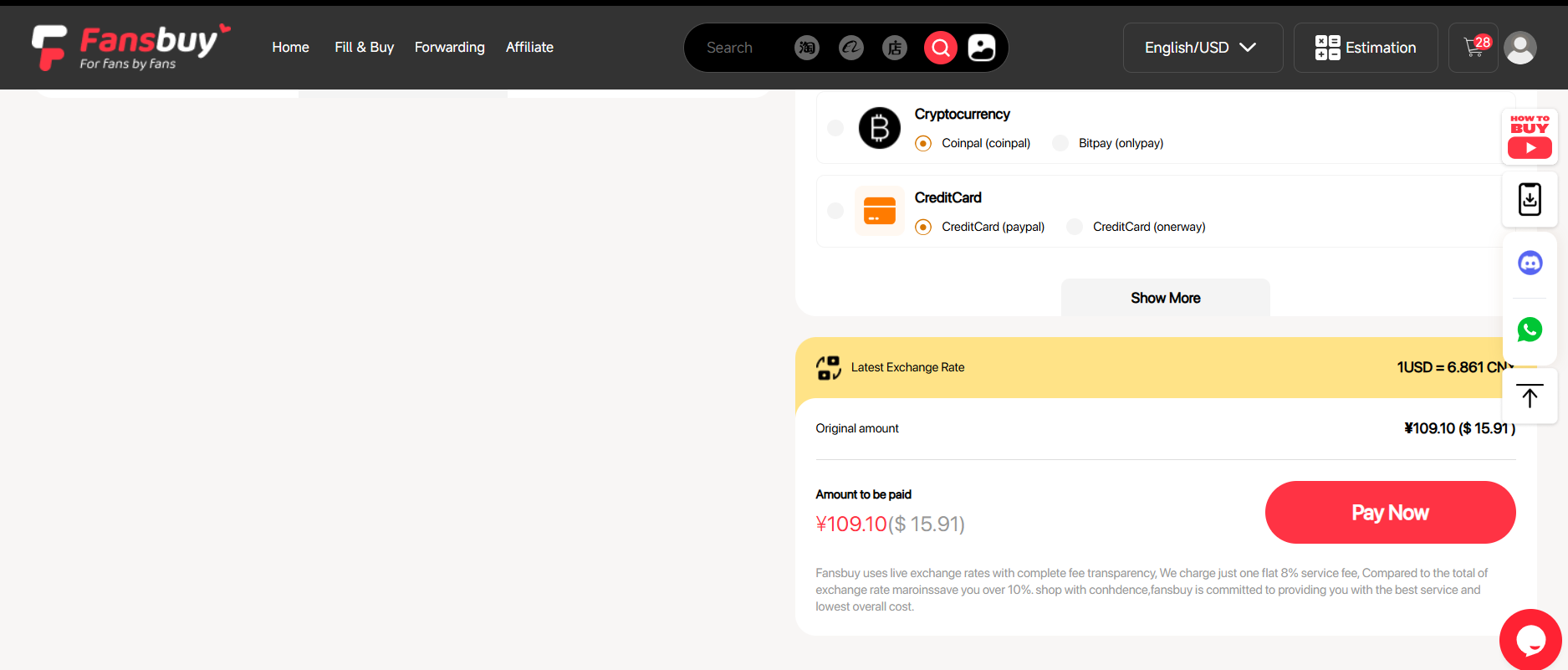
Review the goods, destination, domestic shipping and selected services. This payment does not normally include the later international parcel. Read the actual fee breakdown and exchange amount on your payment screen: Fansbuy’s public help and checkout material do not describe fees consistently, so do not budget from a blanket “free service” claim.
The Small Amount Authorization Agreement appears at this stage. Read it before accepting; a wallet deduction permission is separate from your payment method. See what the agreement covers.
4. Wait for Fansbuy to purchase the item
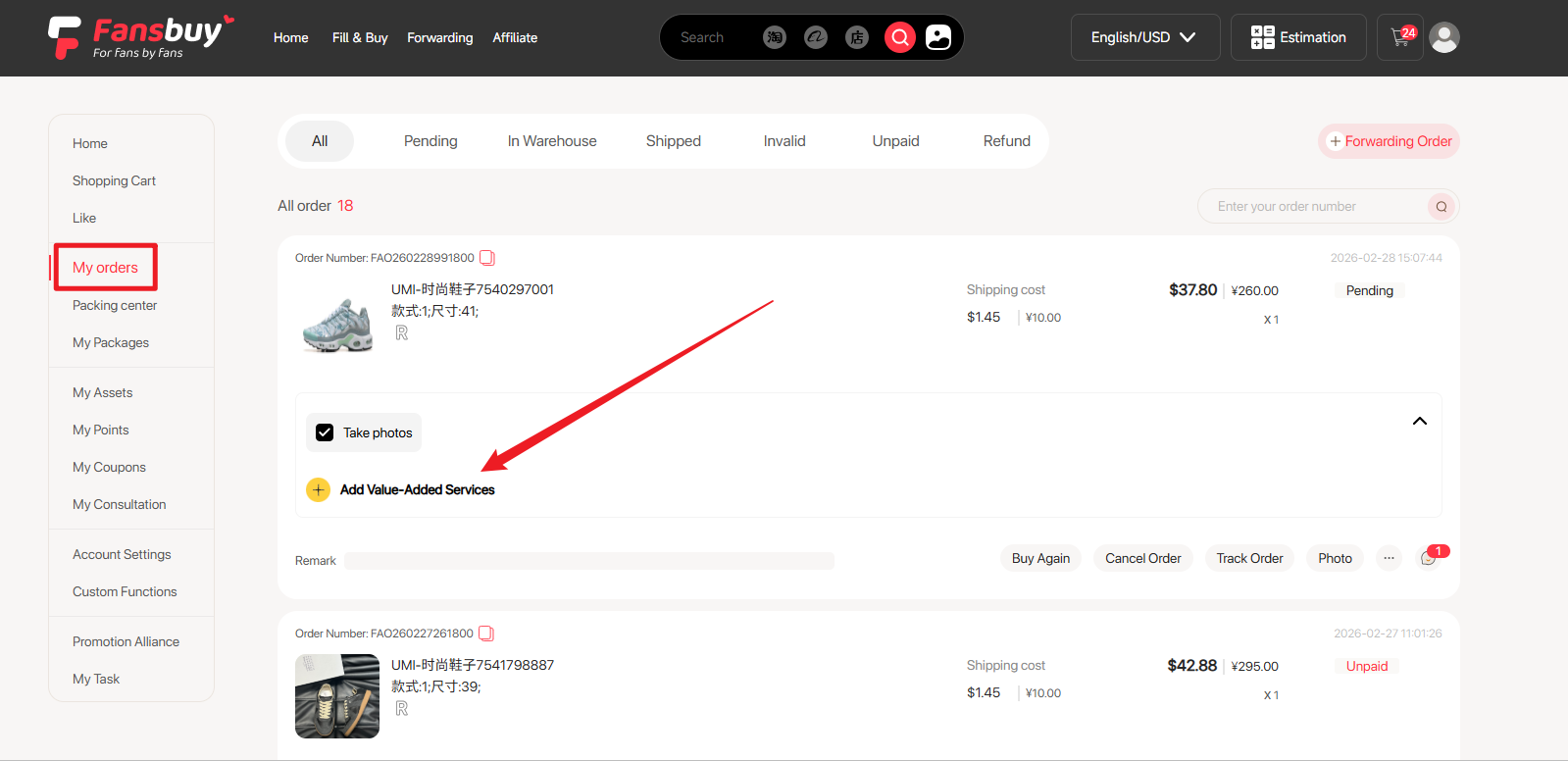
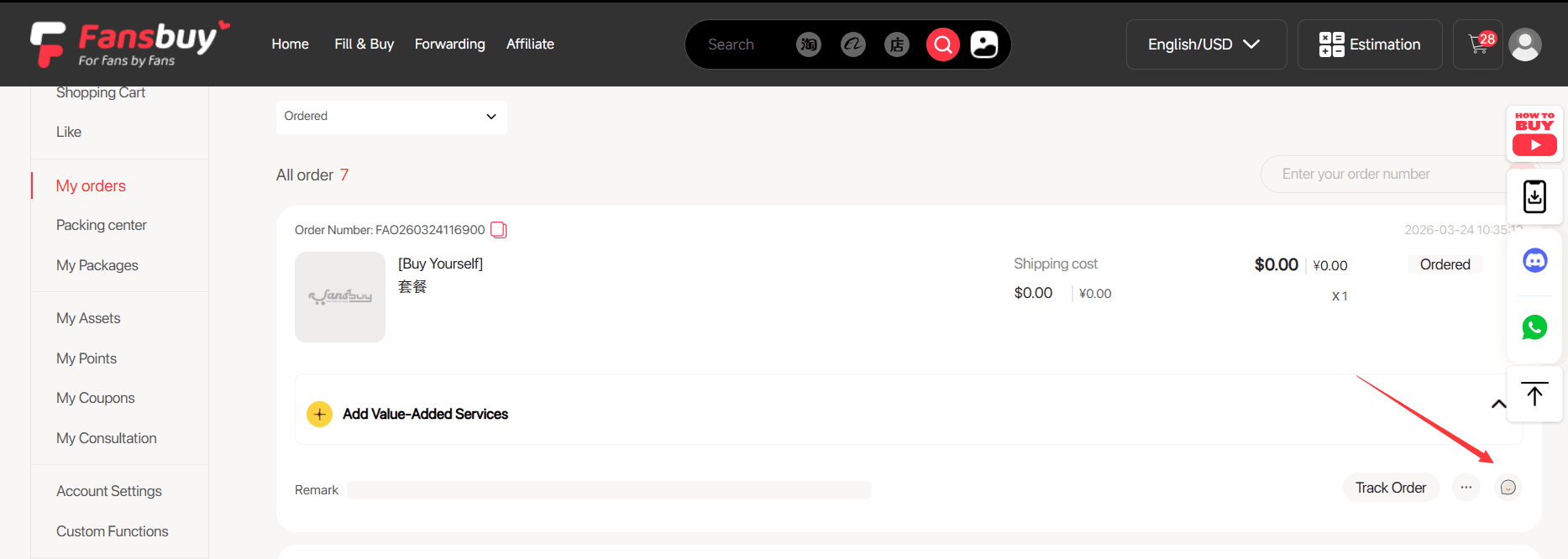
Follow the order status and buyer messages. A stock problem, price change or missing variant can need a response before purchasing continues. Add a specific service request through the order or ask customer service; sending a request does not itself confirm acceptance or a price.
5. Inspect the item and manage warehouse storage
Open Packing Centre when the item arrives. Compare visible colour, size label, quantity and condition with the saved listing. Warehouse photos are evidence of the item received, not an authenticity certificate or a guarantee of fit. Request a missing measurement before deciding whether to ship.
The storage help describes 90 free days from “In warehouse” status, with a maximum of 180 days when an eligible paid extension is arranged. A return window can expire much sooner: the published return rules require a request within seven days in inventory, seller acceptance and resalable condition. Check arrival dates immediately.
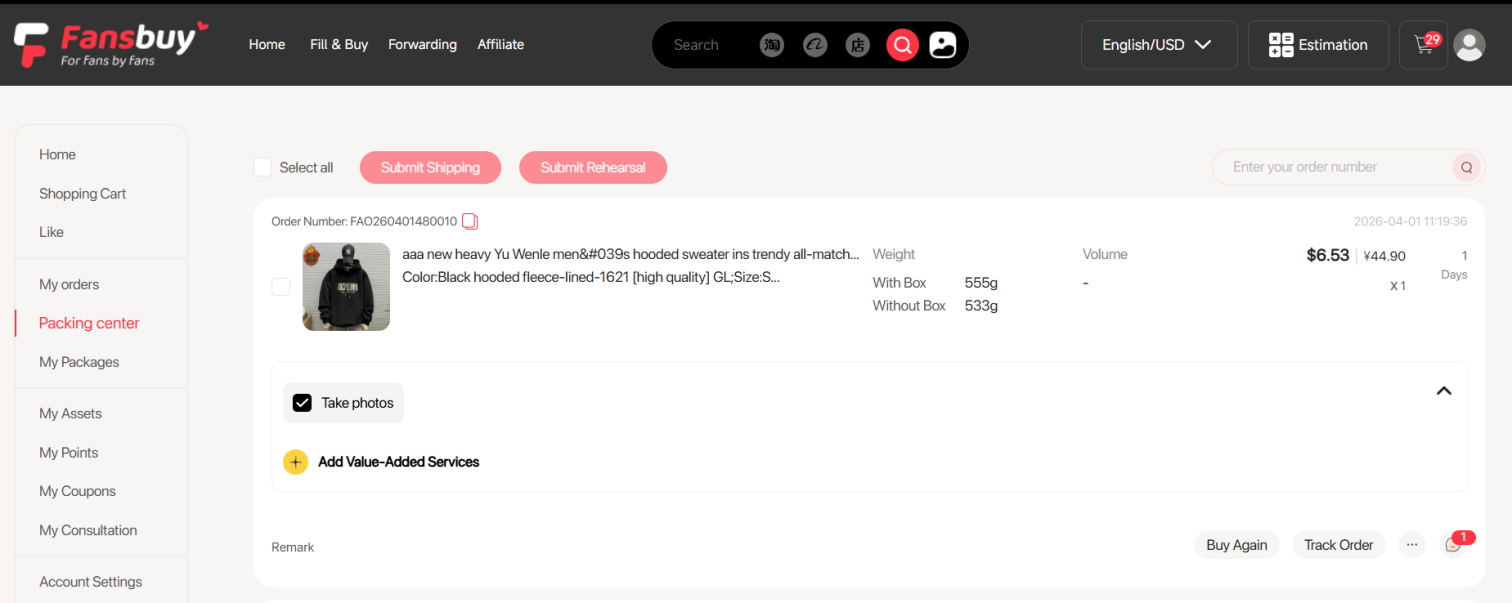
Use the warehouse record before any automatic cost decision
Compare QC photos with the actual ordered variant, checking quantity, labels and visible condition. For fit, ask for a defined garment measurement; for a set, ask for all included pieces. Standard photos cannot authenticate a product or establish complete function. Request an extra view only when it answers something important to your decision.
If the goods appear wrong, raise the issue through the item order before packing and within the relevant return conditions. A payment permission is not product approval and does not extend the return window. Once the item question is resolved, choose packing and shipping using the full parcel details. Keep the QC record and support response so later charge or delivery questions can be traced to the correct stage.
6. Submit a parcel and settle international shipping
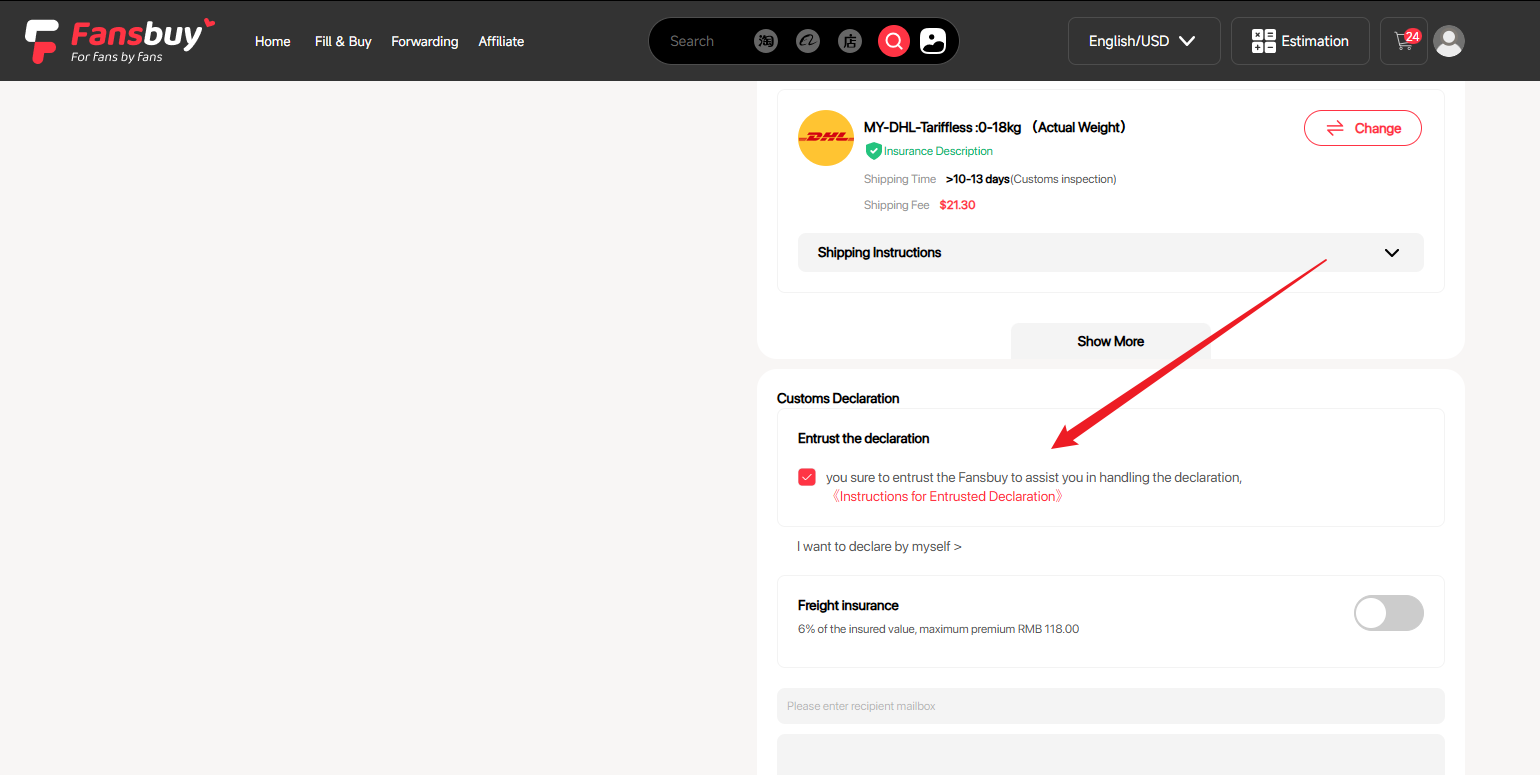
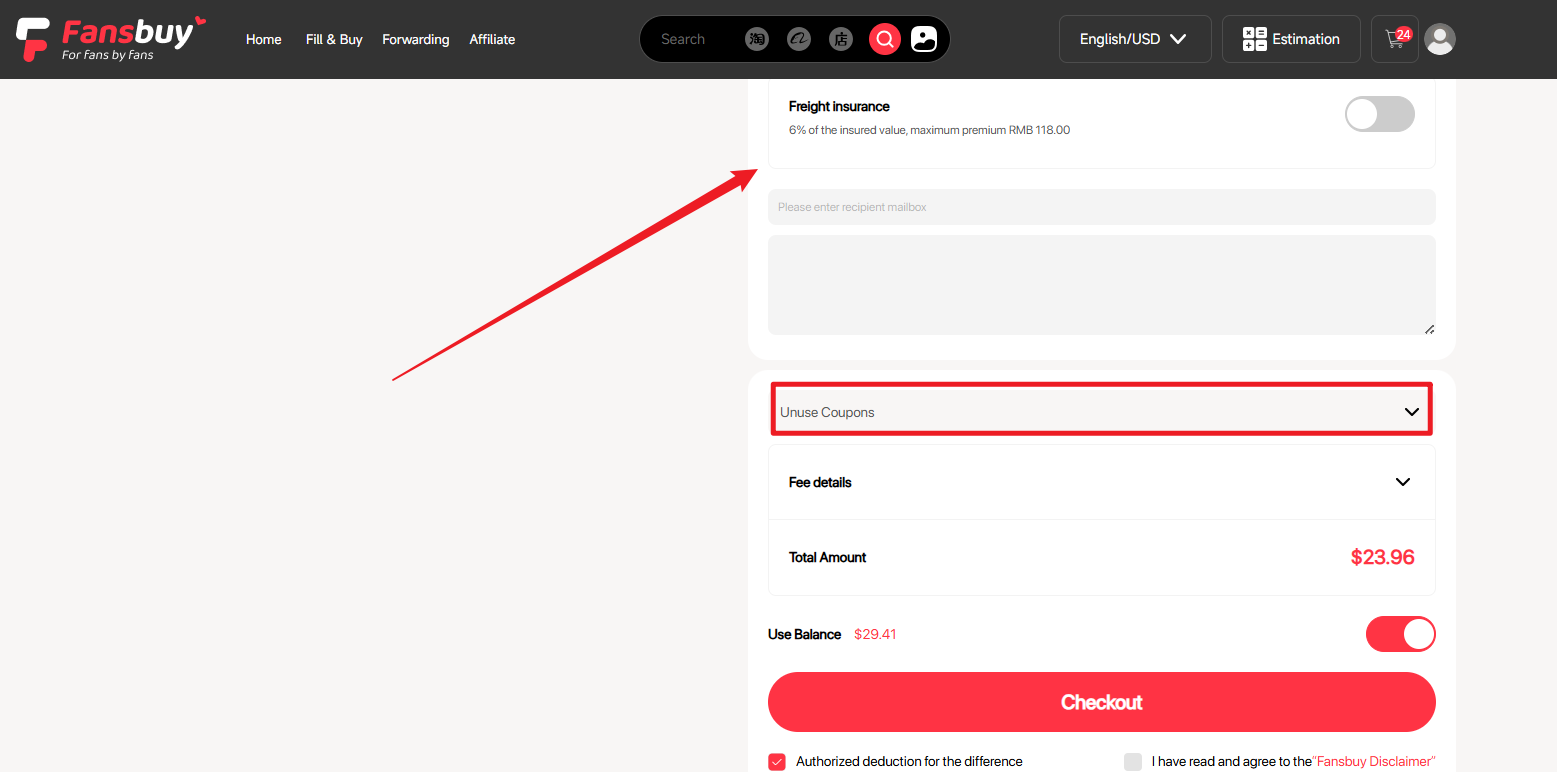
Select the items, enter the recipient address and compare lines available for those goods and that destination. In the standard path you pay a shipping deposit. Rehearsal packing is an optional alternative for obtaining packed weight and dimensions before choosing and paying for delivery; check its quoted service cost first.
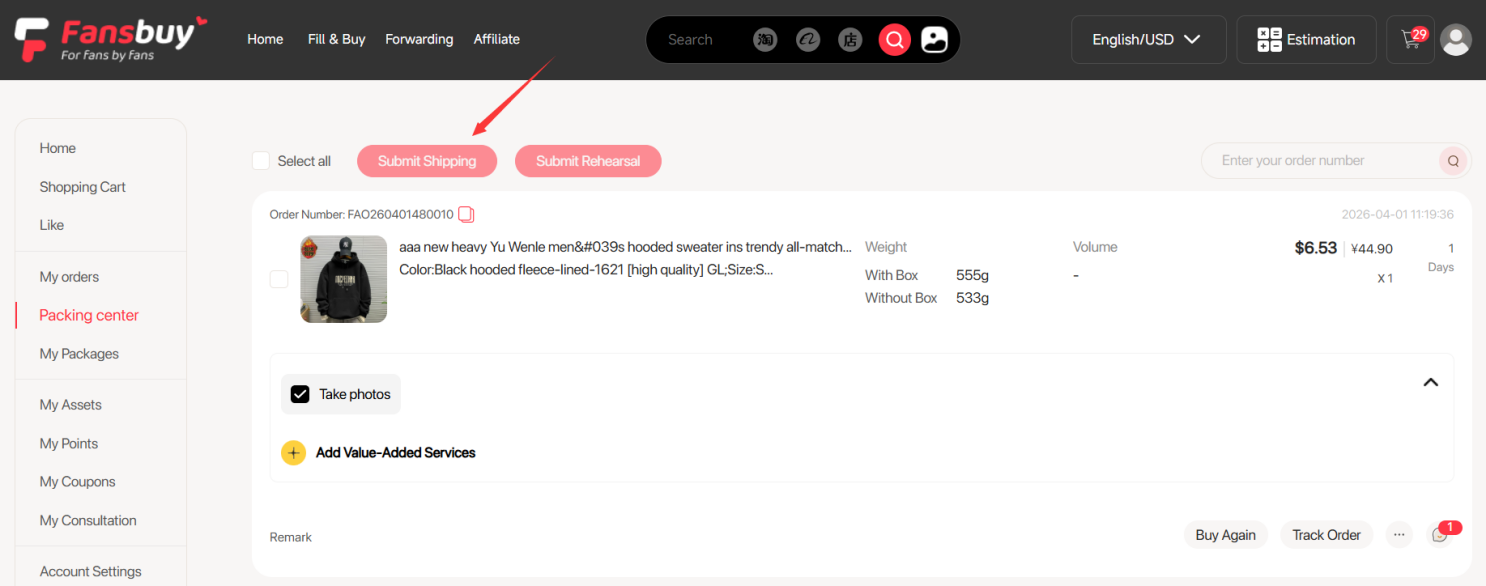
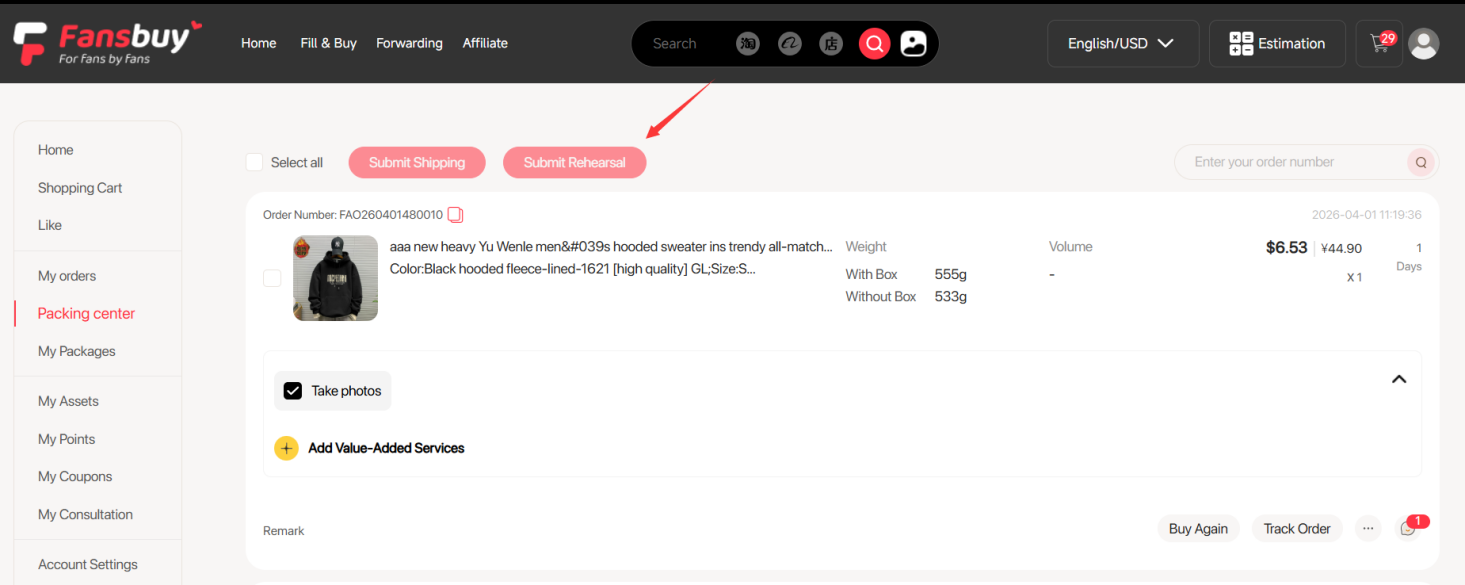
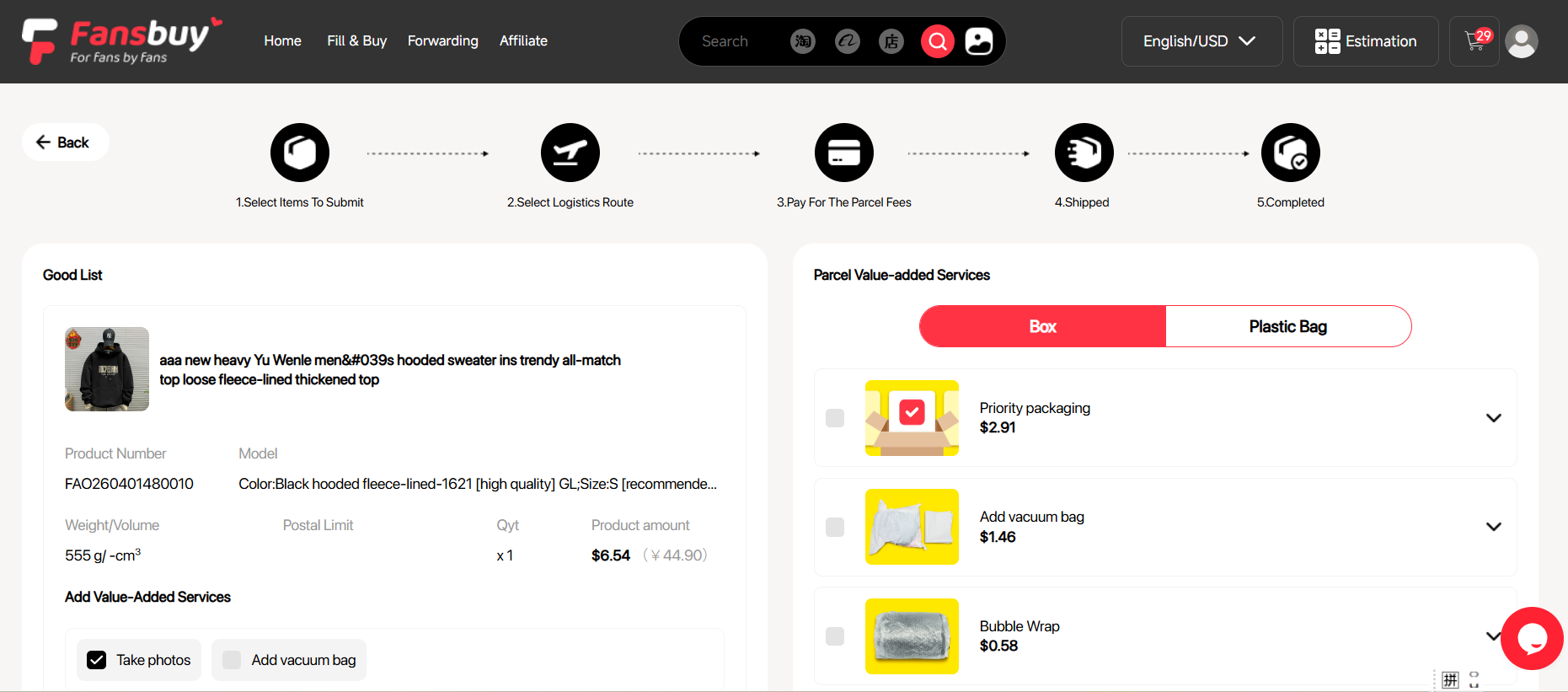
After the parcel is measured
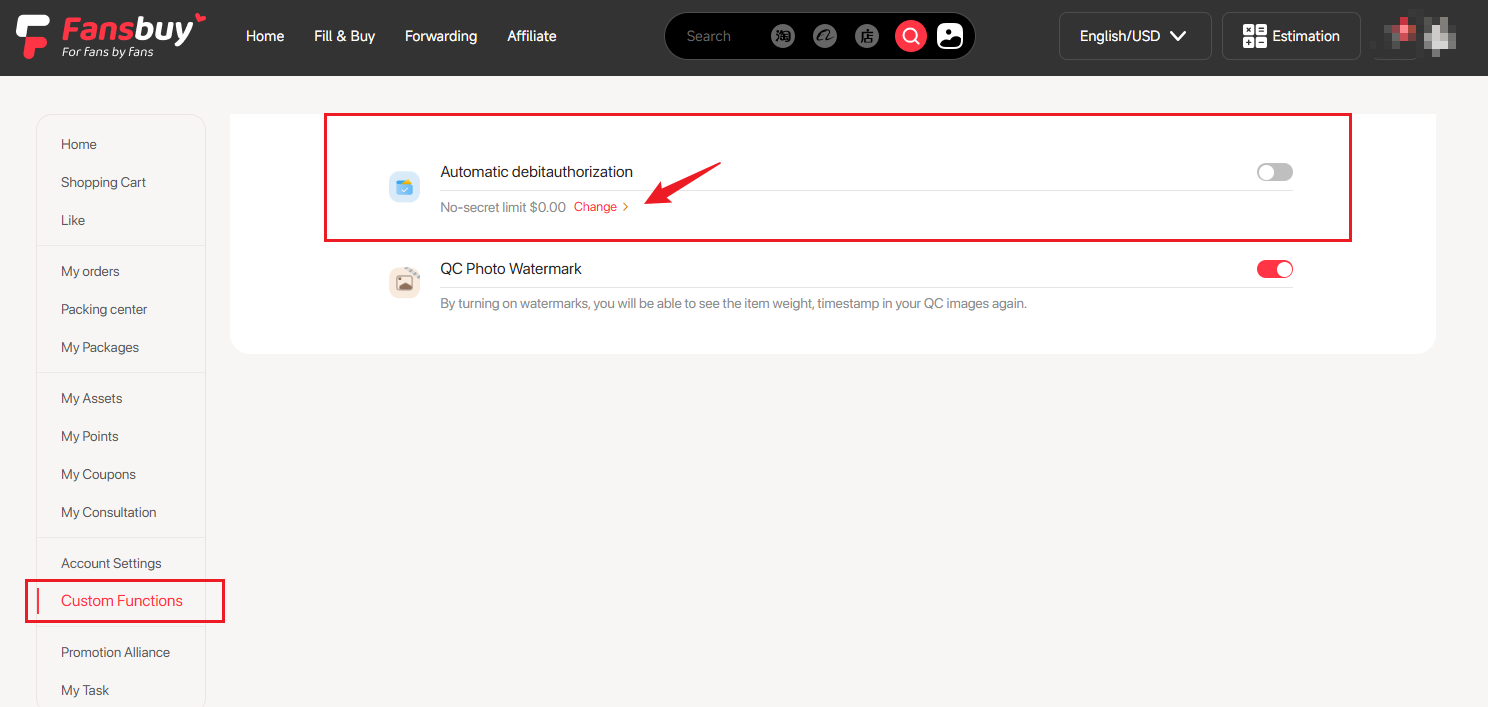
An unused part of the deposit goes back to the Fansbuy balance. A shortfall needs payment before shipment, unless the relevant permission, amount limits and available balance allow an automatic deduction. Check this situation. Consolidating items can help, but a bulky combined box may be more expensive; compare packed figures rather than assuming one box is always cheapest.
7. Track the shipment and confirm receipt
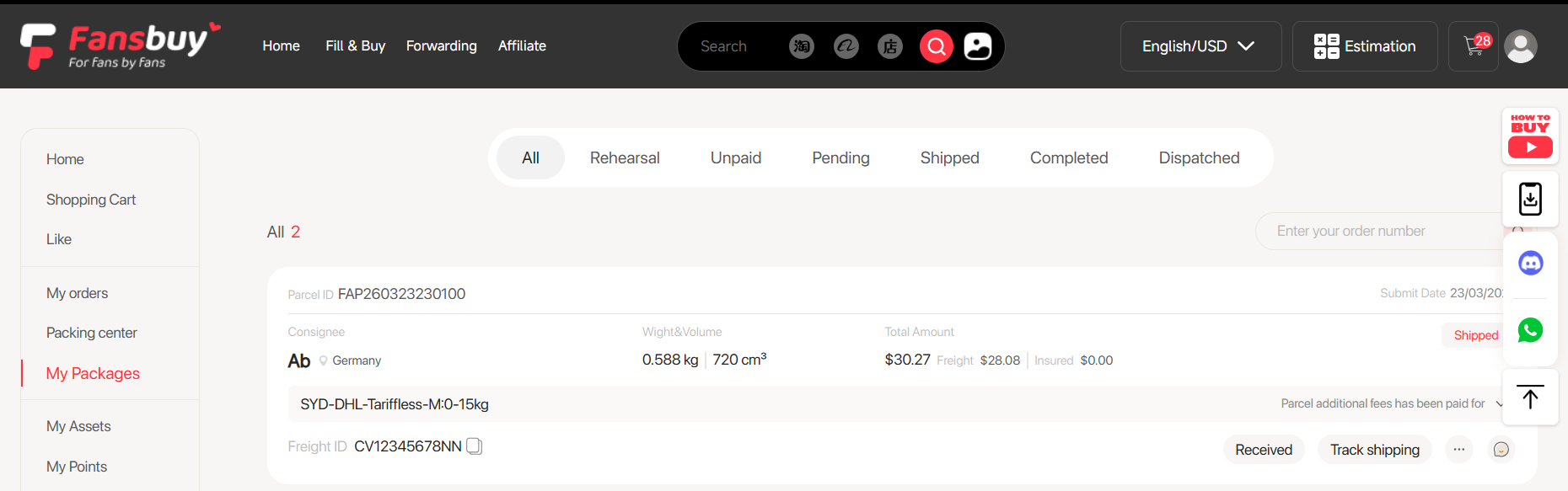
Use My Packages to follow tracking. Keep the parcel number and order records; a scan is not proof that every item arrived intact. On delivery, photograph an obvious problem and retain the packaging. Raise a missing or damaged-item issue promptly through the parcel’s support channel before discarding evidence or confirming that everything is correct.
Keep the next decision close
QC, returns and support · Shipping deposit explained · Open Fansbuy’s current guide